Help Pando learn from your sessions
Switch on the coach that scores each session, proposes rules for next time and waits for your approval.
After a match, a good coach watches the replay and writes down one or two things to do better next time. Pando can do that with your sessions. In this guide you switch the coach on, give it your opinion, review what it proposes and check that it is really working. It is off until you turn it on.
Screens are from the Web UI; the desktop app is the same.
Switch the coach on
Open Settings > Self-Improvement.
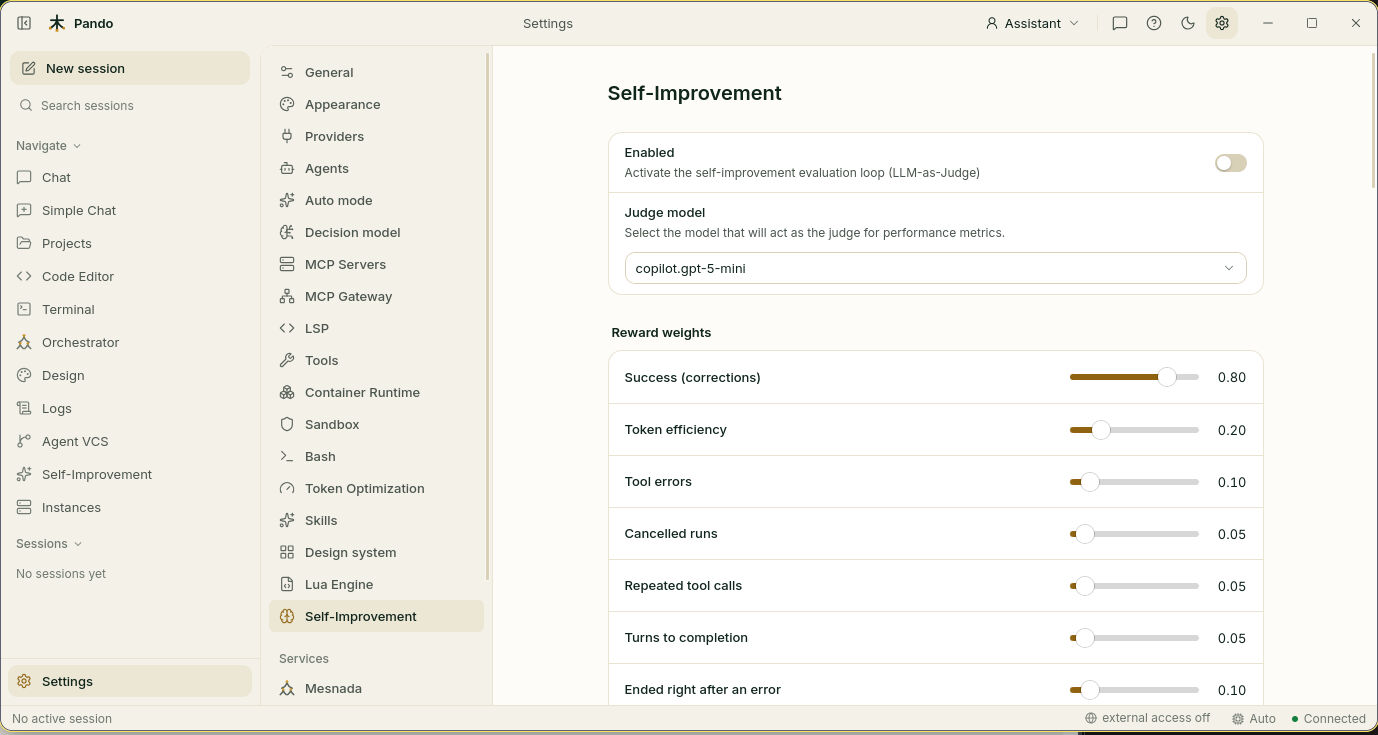
- Turn on Enabled.
- In Judge model choose who watches the replay. A cheap, fast model is enough.
- Press Save.
From now on every finished session gets a score between 0 and 1. The score is worked out without calling any model: it looks at whether you had to correct Pando, how many actions failed, how many times you cancelled and how many tokens it took.
Tell it what you think
Your opinion beats the automatic score. At any moment in a chat, type:
/feedback good
/feedback bad
A “bad” pulls the score below 0.3 and a “good” lifts it above 0.8.
Decide what counts
The Reward weights sliders say how much each sign matters: Success (corrections), Token efficiency, Tool errors, Cancelled runs, Repeated tool calls, Turns to completion and Ended right after an error. They are relative to each other, like ingredients in a recipe. The starting values are a good recipe; change them only if the scores do not match your own impression.
Choose when sessions are reviewed
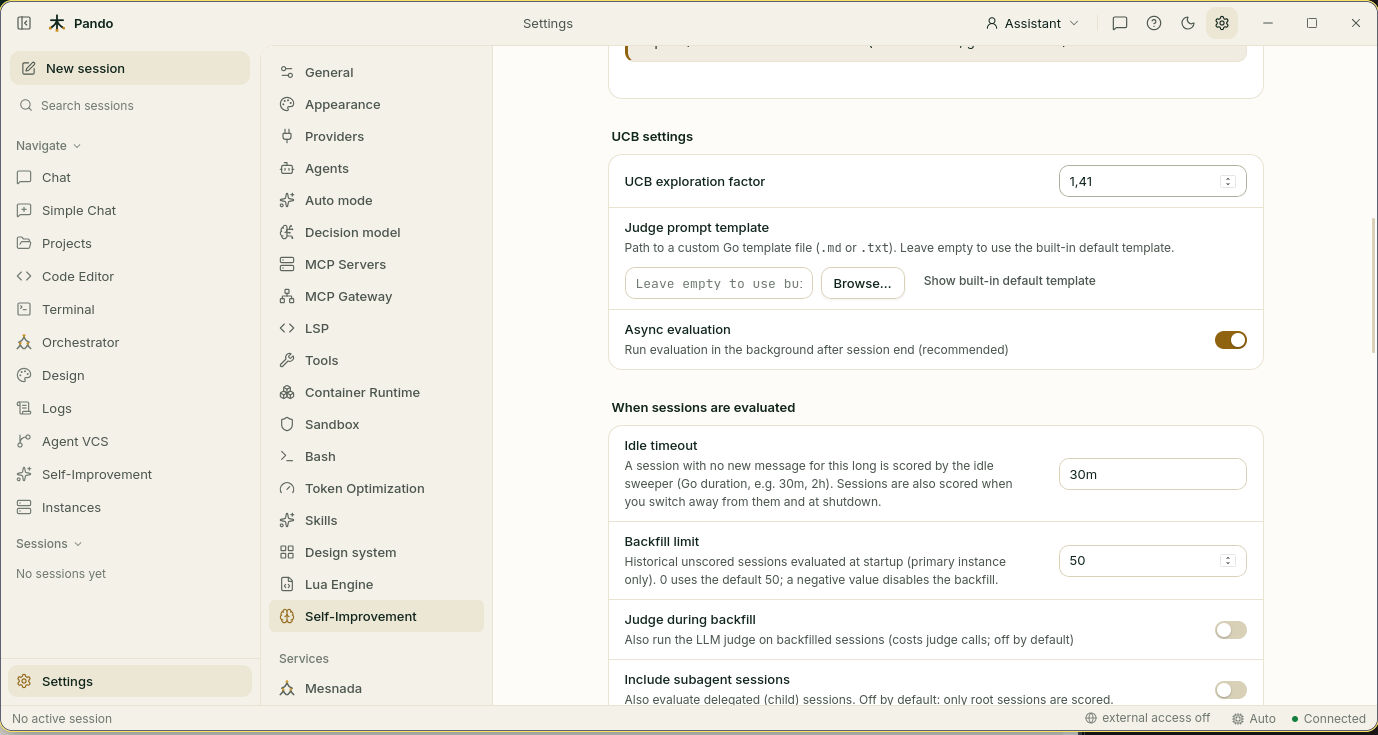
- Idle timeout: a session nobody touches for this long is scored. Sessions are also scored when you switch to another one and when Pando closes.
- Backfill limit: how many old sessions without a score are reviewed when Pando starts.
- Judge during backfill: also send those old sessions to the judge. It costs calls, so it is off.
- Include subagent sessions: also score the helpers’ sessions.
- Async evaluation, a little higher up, keeps all this in the background so it never slows you down.
Keep the judge on a budget
The judge model only reads sessions that went clearly well or clearly badly. Those are the ones with a lesson in them.
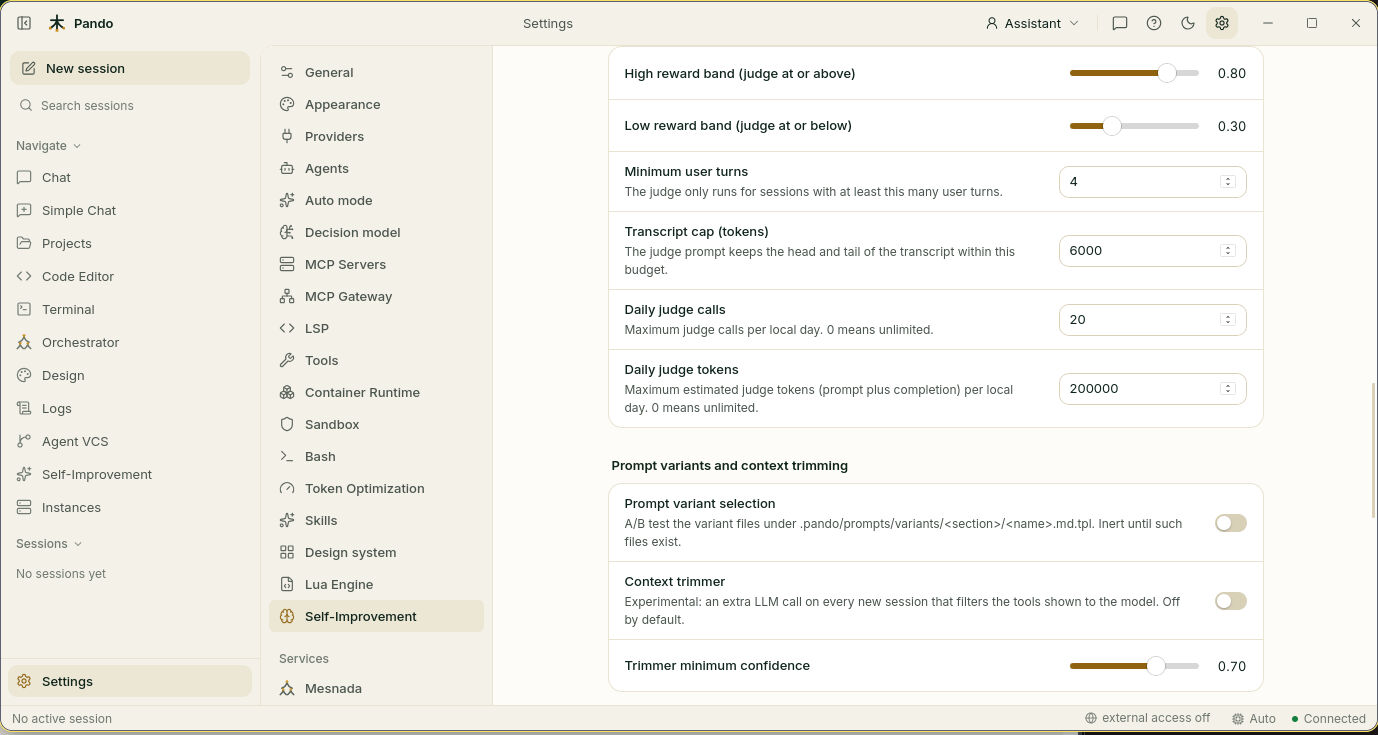
- High reward band and Low reward band mark what “clearly” means.
- Minimum user turns skips very short sessions.
- Transcript cap (tokens) limits how much of the conversation the judge reads.
- Daily judge calls and Daily judge tokens are the daily allowance.
0means no limit.
Teach it how you complain
How does Pando know you corrected it? It looks for phrases such as “that’s wrong” or “eso no era”. The list is at the bottom, under Correction patterns, and you can add your own.
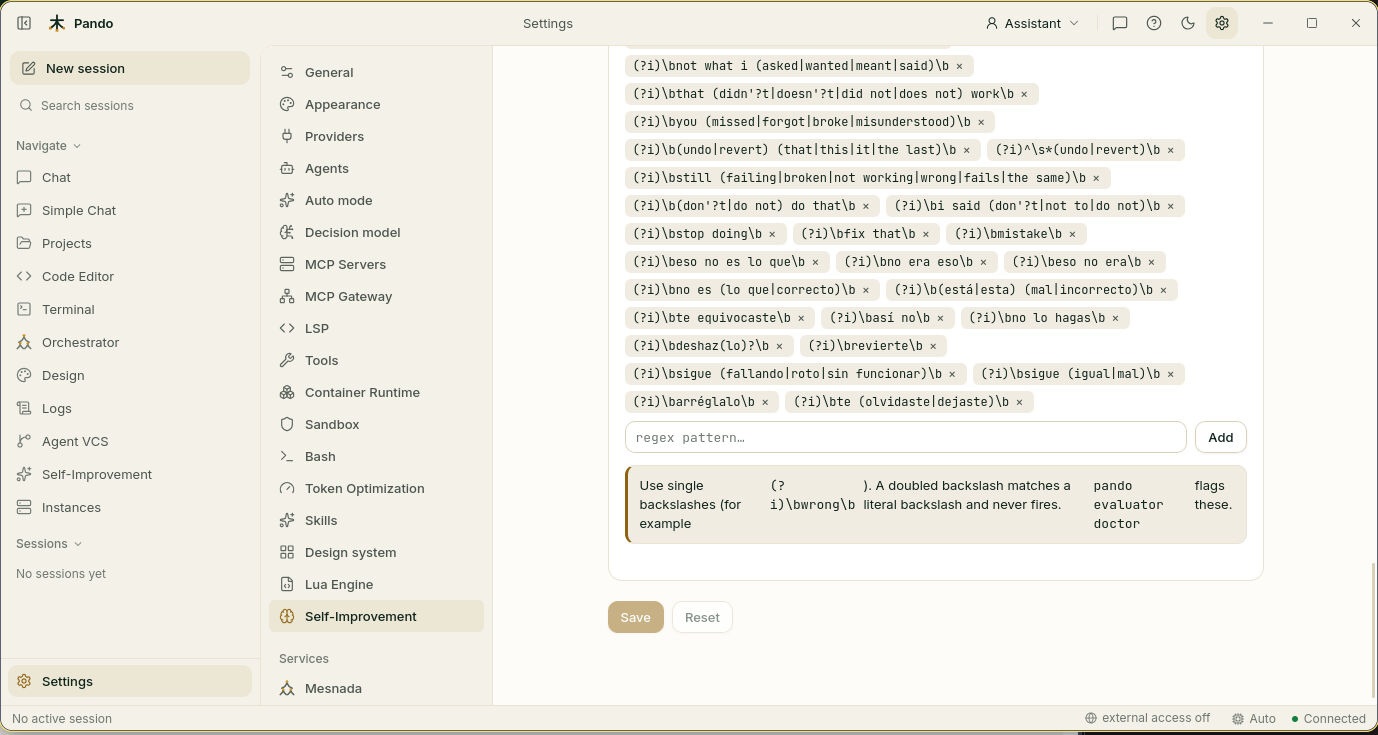
The patterns are regular expressions. Use single backslashes, as in (?i)\bwrong\b.
Review what it proposes
Open Self-Improvement in the side menu.
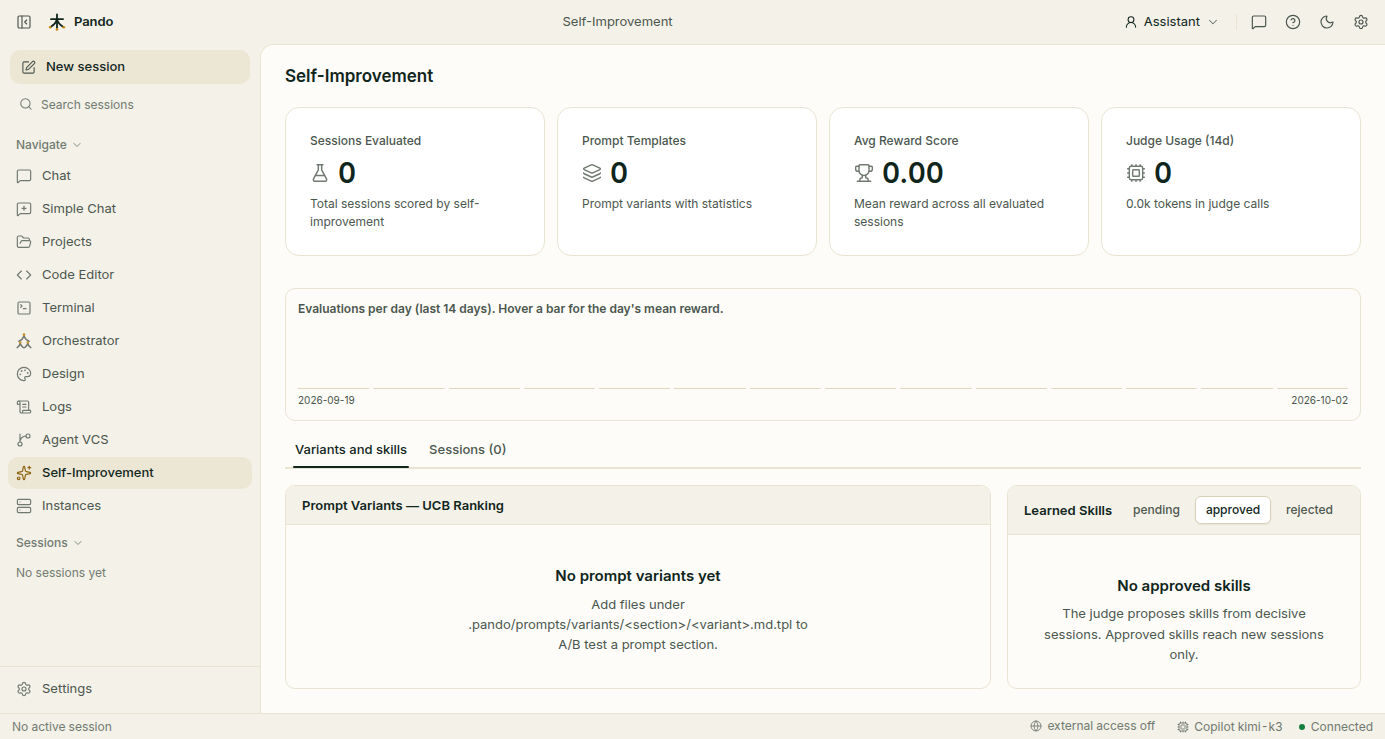
- The four boxes at the top count scored sessions, prompt variants, the average score and how much the judge has been used in the last 14 days.
- The chart shows evaluations per day. Hover a bar to see that day’s average.
- The Sessions tab lists recent sessions with their score and why they got it.
- Learned Skills holds the rules the judge proposes, in three piles: pending, approved and rejected.
Open pending, read each rule and press Approve or Reject. A rule is a short sentence such as “verify the build before reporting done”. Nothing reaches Pando’s instructions until you approve it, and an approval applies to sessions you start afterwards.
Each proposal is also a file in .pando/skills/learned/. Open it and reword it before approving if you like.
Check it works
A banner at the top of the Self-Improvement view says in plain words whether the coach is working and, if not, why. The same report from a terminal:
pando evaluator doctorIf something goes wrong
| What the doctor says | What to do |
|---|---|
| Disabled | Turn on Enabled and save |
| No judge model | Choose one in Judge model |
| No sessions scored yet | Use Pando for a while, or lower Idle timeout |
| Budget used up | Wait until tomorrow or raise Daily judge calls |
| No proposals | Normal at the start: the judge only speaks about sessions that went clearly well or badly, with at least the minimum turns |
Prefer the terminal?
pando skills list --status pending
pando skills approve verify-the-build-before-reporting-done
pando skills reject some-skill-id
pando evaluate --all --limit 20     # score sessions by hand
To compare two ways of wording an instruction, see Prompt variant selection in the self-improvement reference, which also lists every setting. The idea is explained in Self-Improvement.