Spend fewer tokens without losing quality
Turn on the settings that trim what Pando sends to the model, and see how much you saved.
A token is the unit AI models charge by, roughly a “word count” of everything sent and received. The less padding Pando sends, the faster and cheaper each answer. Most savings are already on; this guide shows where they live, which extras are worth trying and how to read the meter. The desktop app is identical to the Web UI shown here.
Open Token Optimization
Go to Settings > Token Optimization.
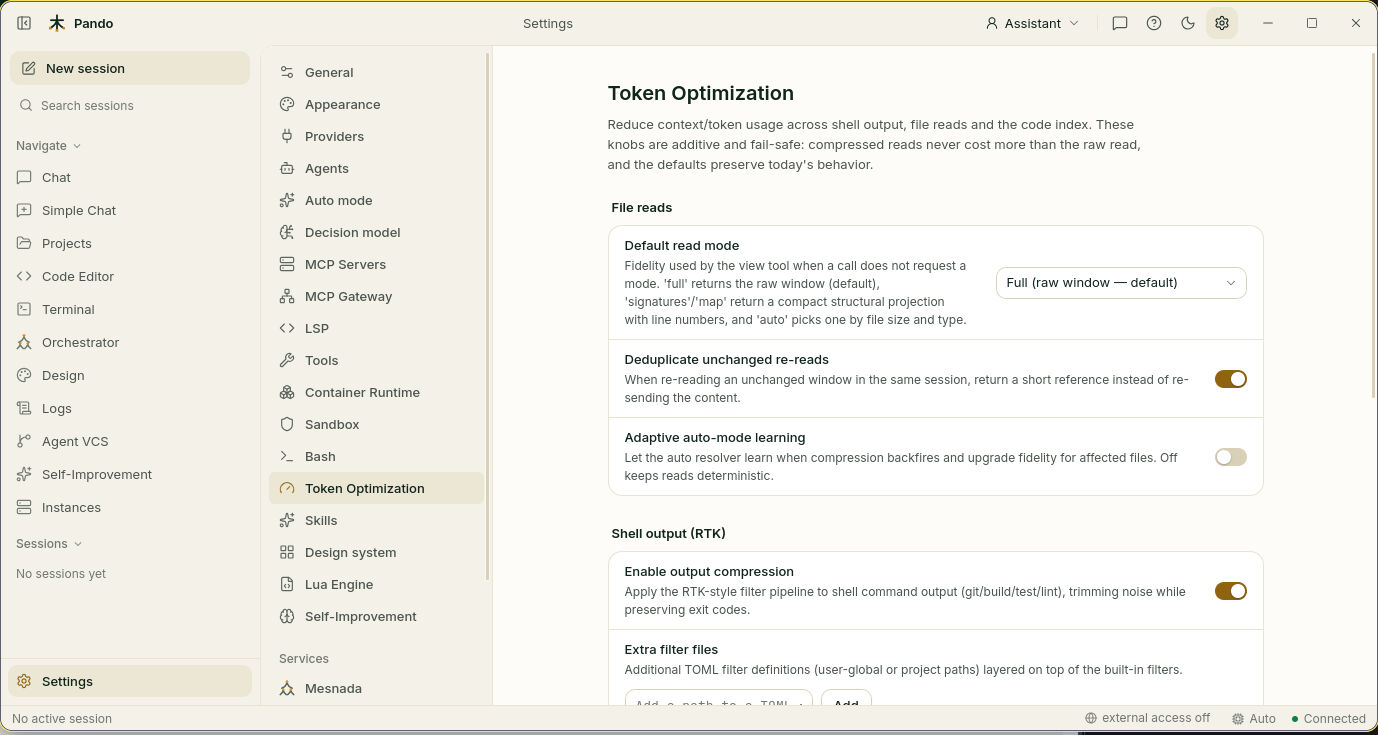
Everything on this page is safe to try: if a shortcut would end up costing more than the long way, Pando takes the long way by itself.
Choose how much of each file the model sees
Default read mode decides what Pando shows the model when it opens a file:
| Option | What the model gets | Use it when |
|---|---|---|
| Full (default) | The file as it is | Small files, or you want nothing hidden |
| Auto | Pando picks by size and type | You work with big files and want savings without thinking about it |
| Signatures | Only the names of functions and classes, like a table of contents | You need the shape of a big file |
| Map | Only what the file imports and its top-level items | A quick look at how a file is organised |
Start with Full. Move to Auto when files are large.
Leave Deduplicate unchanged re-reads on: when the model asks for a piece it already has, Pando answers “same as before” instead of sending it again.
Adaptive auto-mode learning only matters with Auto. Pando already notices when a summary was not enough and sends the full file next time. This switch adds guessing ahead from past experience. Leave it off unless Auto keeps summarising files that need full detail.
Quiet the noisy commands
Under Shell output (RTK), keep Enable output compression on. Test runs, builds and installs print pages of text; Pando keeps the errors and the result and drops the confetti.
Extra filter files is for adding your own trimming rules for special tools. Most people leave it empty.
Keep rarely used tools in the drawer
Go to Settings > General and scroll to Tool Discovery.
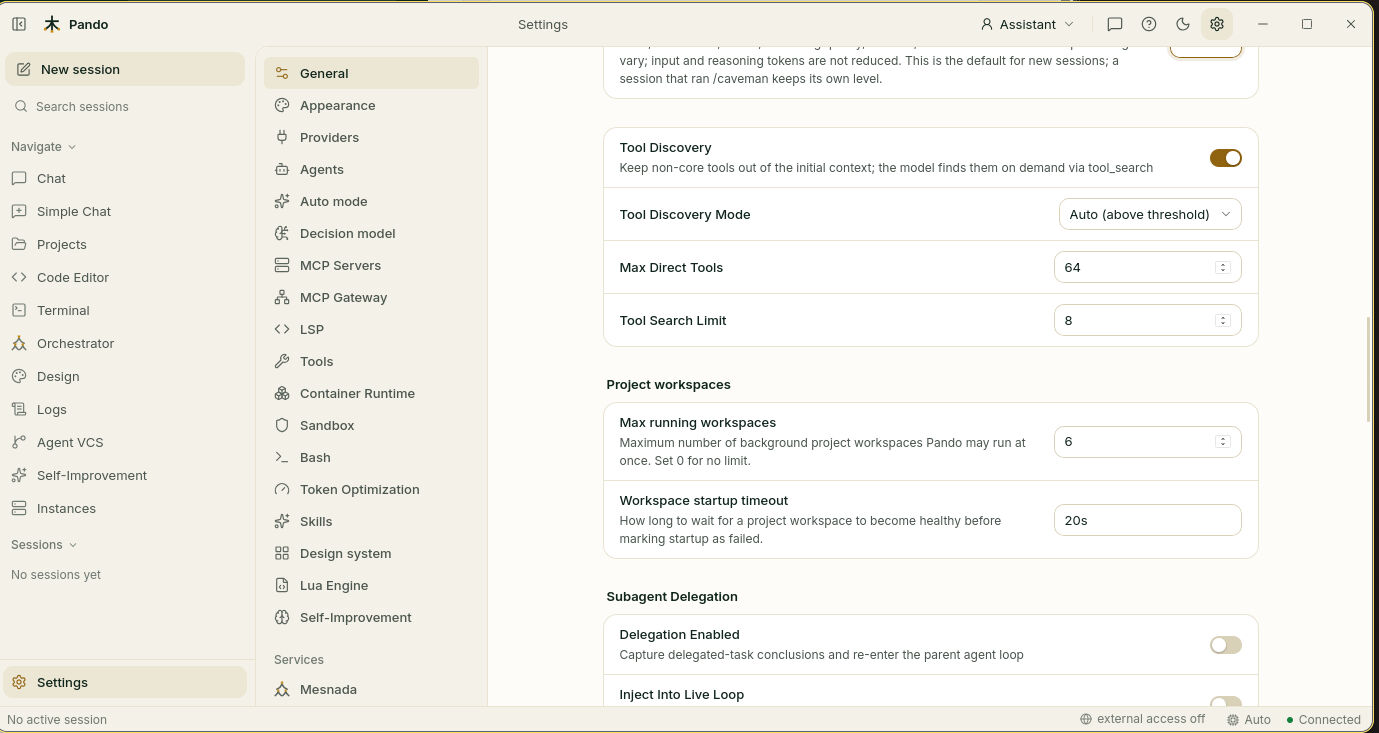
Every tool you connect comes with a description the model reads on each message. With Tool Discovery on, only the everyday tools stay on the workbench; the rest wait in a drawer and the model looks them up when it needs one.
- Tool Discovery Mode: Auto (above threshold) starts using the drawer once you have many tools. Always uses it from the first tool. Off shows everything.
- Max Direct Tools: how many tools count as “many” (64 by default).
- Tool Search Limit: how many matches the model gets per lookup (8 by default).
Switch on the smaller savers
At the top of Settings > General:
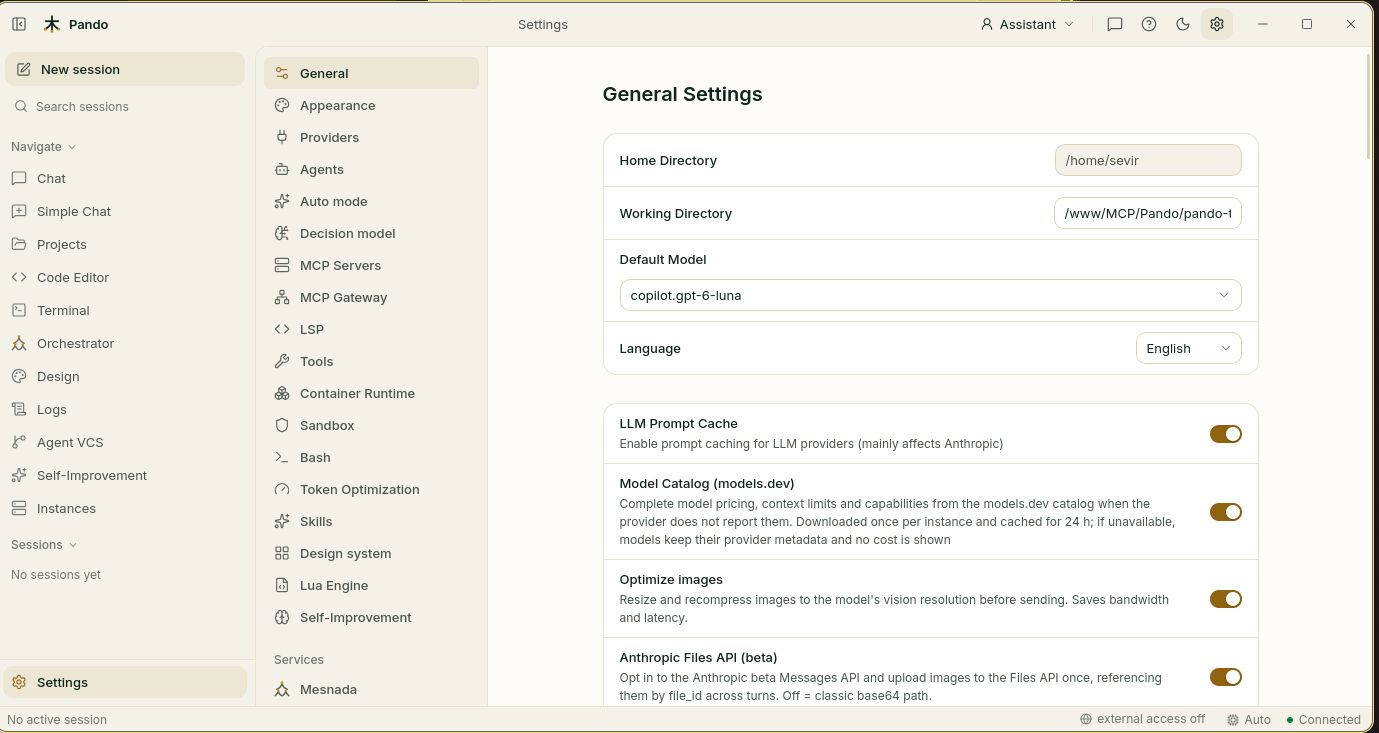
- LLM Prompt Cache: lets the provider remember the unchanged start of a conversation so you do not pay full price for it every time.
- Optimize images: shrinks screenshots and pictures to the size the model actually looks at before sending them.
- Model Catalog (models.dev): fills in prices and limits when your provider does not report them, so the cost you see is real.
Further down, Caveman Output Brevity makes Pando answer in fewer words. See the Caveman feature.
Turn on the optional extras
Back in Settings > Token Optimization, under Code graph:
- Build code property graph (on) records which files use which, so Pando can answer “what will this change affect?”.
- Related-files hint (off) adds a short list of connected files to what the model reads. It costs a few tokens and can save a search.
Press Save.
Check it works
Work for a while, then come back to Settings > Token Optimization and look at Recorded savings: tokens saved, the percentage, and where they came from. Keep Record token-savings ledger on for the meter to count.
If something goes wrong
| What you see | What to do |
|---|---|
| The model seems to miss details of a file | Set Default read mode back to Full |
| “No savings recorded yet” | Normal on a new project. Reads and commands fill it as you work |
| The model does not find a tool you connected | Set Tool Discovery Mode to Off to test, or raise Max Direct Tools |
| A command’s output looks cut | Turn Enable output compression off for that session and compare |
Prefer the terminal?
pando gain                 # savings so far
pando gain --days 30       # last 30 days
pando gain --price 3       # estimate money saved at $3 per million tokens
pando gain --json          # for scripts
PANDO_READ_MODE_DEFAULT=auto pando   # one run with Auto read mode
Exact option names are in the token optimization reference. The idea behind the tool drawer is explained in Tool Discovery.