Review and undo what the agent did
Switch on the diary of changes, read what each conversation did to your files and get your code back when you do not like the result.
Letting an assistant edit your files is easier when you know there is an undo button. Pando can keep a diary of every conversation: a save point before it starts and another after each turn of work. In this guide you switch the diary on, learn to read it and travel back to any page of it.
Screens are from the Web UI; the desktop app is the same.
Switch the diary on
The diary is off until you ask for it. Open Settings and, under Services, choose Snapshots.
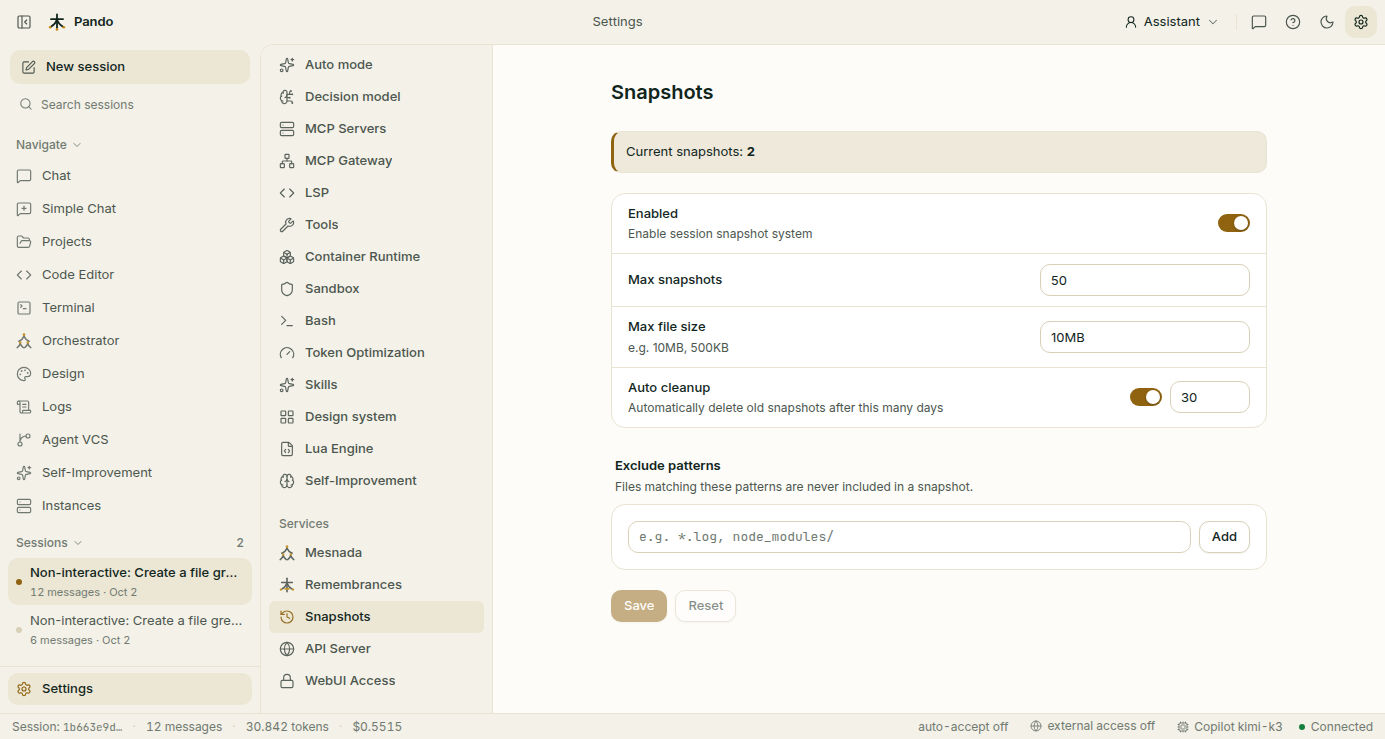
- Turn on Enabled.
- Max snapshots is how many save points are kept; the oldest go first.
- Max file size leaves out files bigger than this. Videos and database dumps do not belong in a diary.
- Auto cleanup deletes save points older than the number of days you set.
- Under Exclude patterns, add what should never be saved: heavy or private things such as
node_modules/,dist,__pycache__or.env. Type each one and press Add. - Press Save and restart Pando. The diary starts with the next conversation.
Current snapshots at the top tells you how many save points exist right now.
Glance at what changed
While you chat, the panel on the right has a Modified files section. It lists the files Pando has touched in this conversation, with the lines added in green and removed in red.
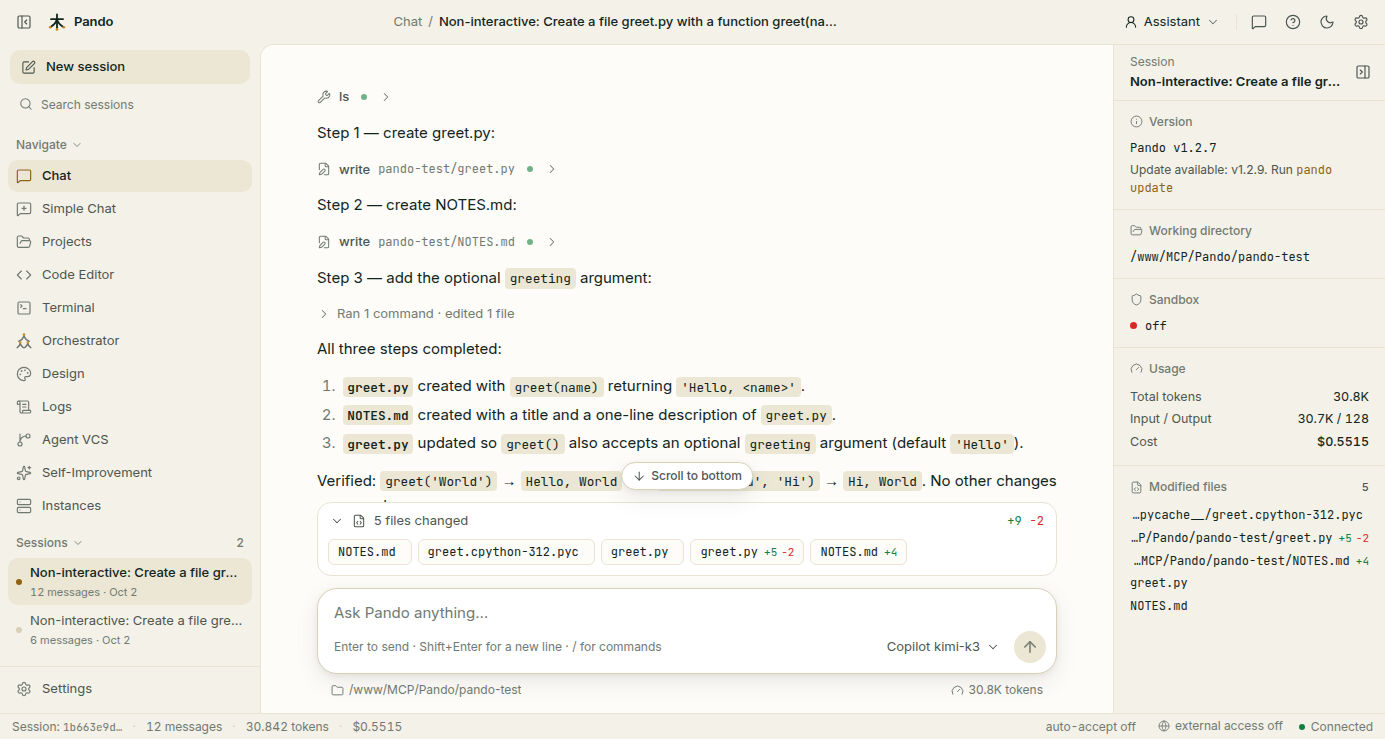
If the panel is hidden, open it with the button at the top right of the chat. Under each answer, a files changed strip lists the same files for that turn.
Open the diary
Open Agent VCS in the side menu. It has three columns.
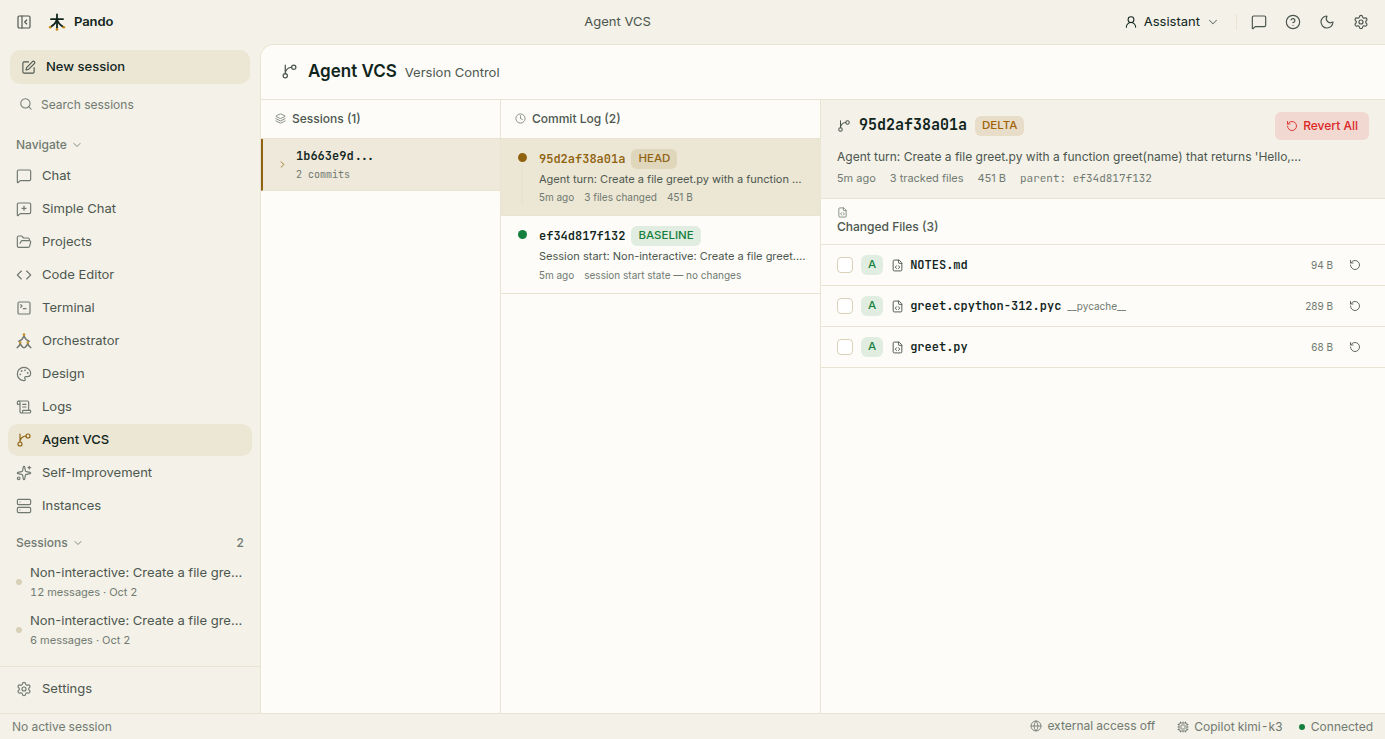
- Sessions: your conversations that have a diary. Click one.
- Commit Log: the pages of that conversation, newest first. The bottom one is marked BASELINE: your files as they were before Pando touched anything. The top one is marked HEAD: how things are now.
- Changed Files, on the right: click a save point to see which files it changed. A green A means added, and you will also see changed and deleted files.
This diary is Pando’s own. It does not touch your git history.
Read a change line by line
Click the name of a file in Changed Files. The reader opens with two columns: the file before on the left, the file after on the right. Removed lines are red, added lines are green.
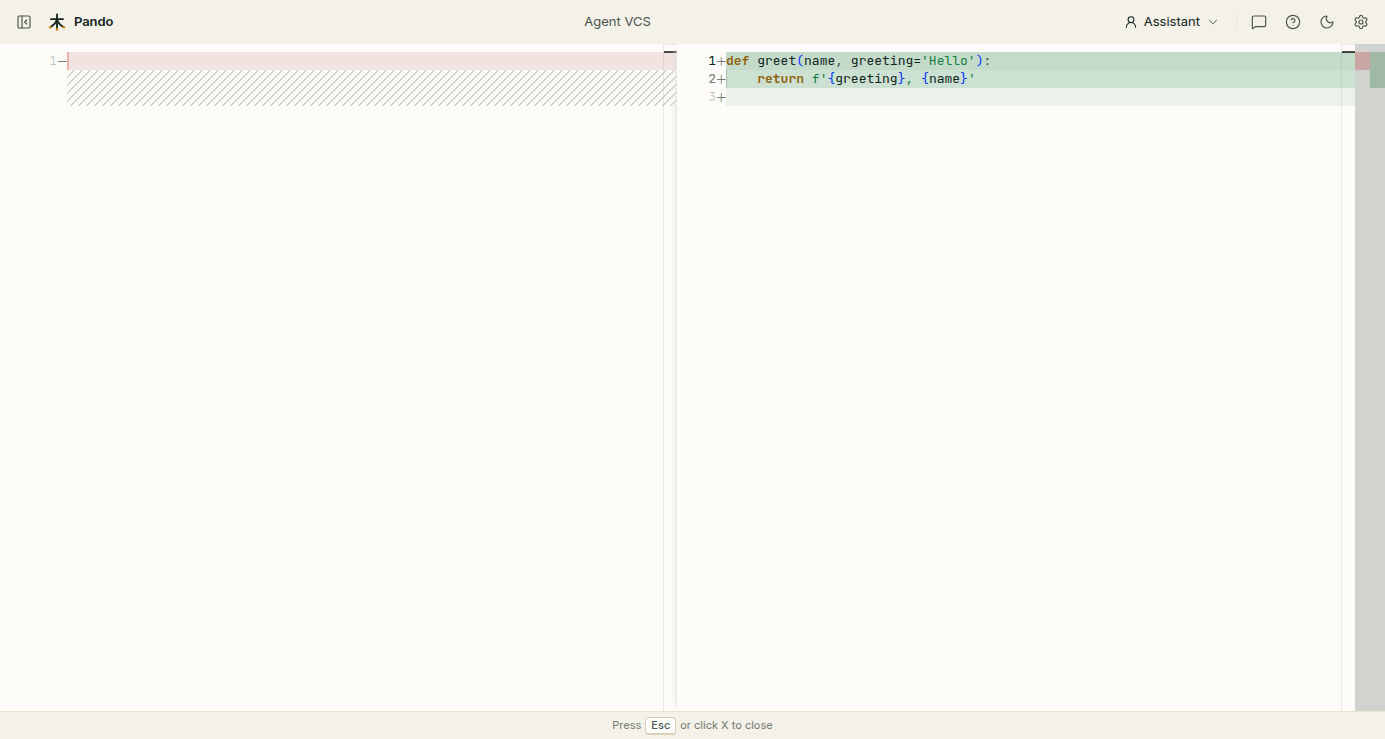
Press Esc to close it. To follow how one file evolved, open it in one save point after another.
Get your code back
With a save point selected you can undo in three sizes:
- One file: press the round arrow at the end of its row. Pando restores only that file to how it was at that point.
- Several files: tick their boxes and press Revert … selected.
- Everything: press Revert All. Every file goes back to how it was at that point.
Pando asks you to confirm. Before going back it saves the present, so the undo itself can be undone: that safety save point appears at the top of the log.
To throw away everything a conversation did, select its BASELINE and press Revert All.
Check it works
Ask Pando for something harmless: “Create a file NOTES.md with a title.” Open Agent VCS, click the new session and its top save point, and read the file in the reader. Then select BASELINE and press Revert All. The file is gone, and a safety save point has appeared at the top.
If something goes wrong
| What you see | What to do |
|---|---|
| No sessions with commits yet | The diary is off, or Pando was not restarted after you turned it on. Only conversations started afterwards are recorded |
| A conversation is not in the list | It did not change any file, or it happened before the diary was on |
| Files you do not care about fill the list | Add them to Exclude patterns |
| A file is missing from a save point | It did not change in that turn. Look at an earlier or later one |
| You went back too far | Select the safety save point created just before and press Revert All |
| The diary takes too much space | Lower Max snapshots or the Auto cleanup days, or trim it from the terminal (below) |
Prefer the terminal?
pando agent-vcs sessions              # conversations with a diary
pando agent-vcs log <session-id>      # save points of one conversation
pando agent-vcs show <commit-id>      # what changed in one
pando agent-vcs revert <commit-id>    # go back to it
pando agent-vcs compact --keep 20     # keep only the 20 most recent conversations
pando agent-vcs compact --days 30     # drop conversations older than 30 days
pando avcs is a shorter name for the same command. The keys of the settings page are in the working modes reference, and the idea is explained in Agent-VCS.