Let Pando pick the right model for each message
Set up a tiny receptionist that sends hard work to your best model and quick questions to a cheap one.
At the end of this guide you will have Auto in the model list. When you choose it, Pando reads each message and sends it to the model you decided for that kind of work. You need at least two models configured (see Connect your AI accounts) and Ollama 0.35 or later.
Hire the receptionist
The one who reads each message and decides is a very small, very fast model called the decision model. It runs on your machine and has its own guide, with its other uses. Download it once from a terminal:
ollama pull tev1:0.8bPando does not install Ollama for you. The model can also be downloaded from the settings page of the next step, with the Pull button.
Tell Pando where the receptionist sits
Open Settings > Decision model.
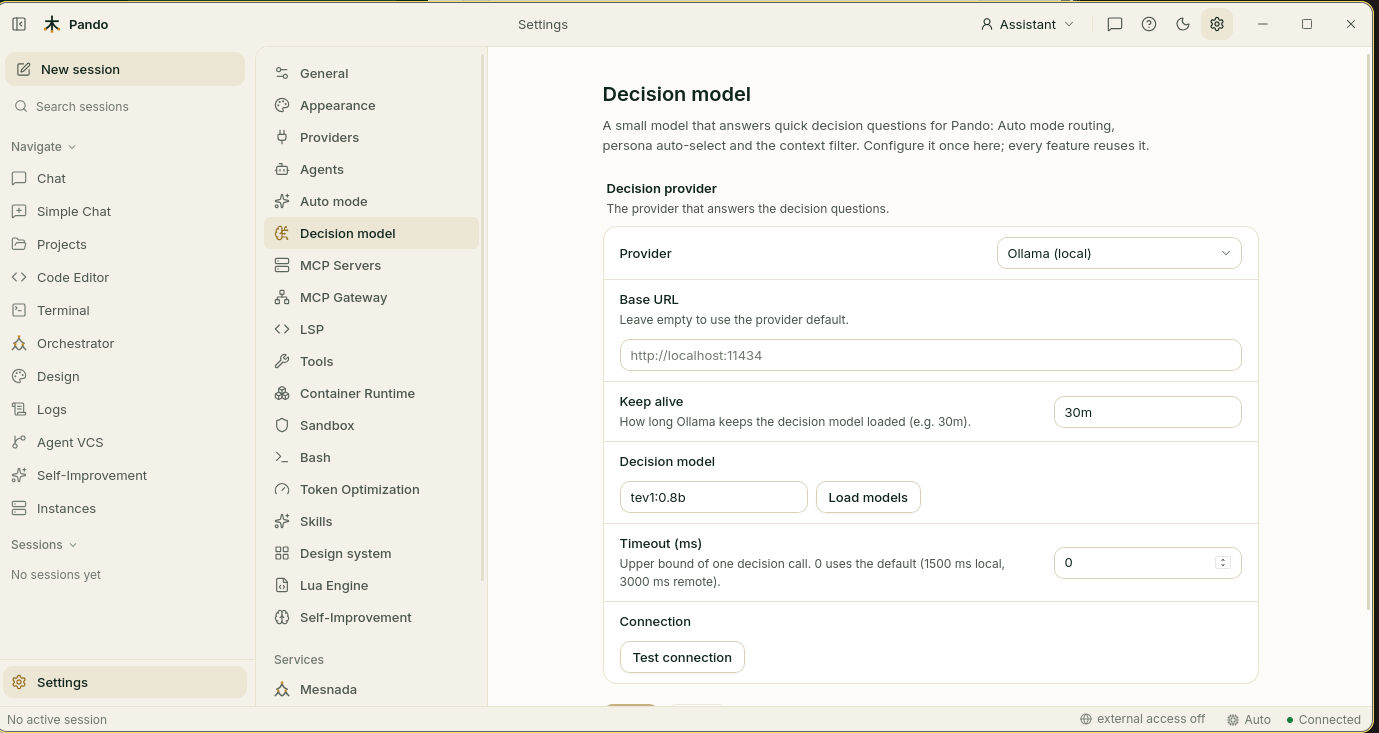
- In Provider choose Ollama (local).
- Leave Base URL empty unless your Ollama lives somewhere unusual.
- Under Decision model, press Load models and choose tev1:0.8b.
- Press Test connection. Every line of the report should be green.
Keep alive is how long the receptionist stays at the desk between messages (30 minutes is fine). Timeout (ms) is how long Pando waits for a decision before giving up; 0 uses a sensible default. Save.
Switch Auto mode on
Open Settings > Auto mode.
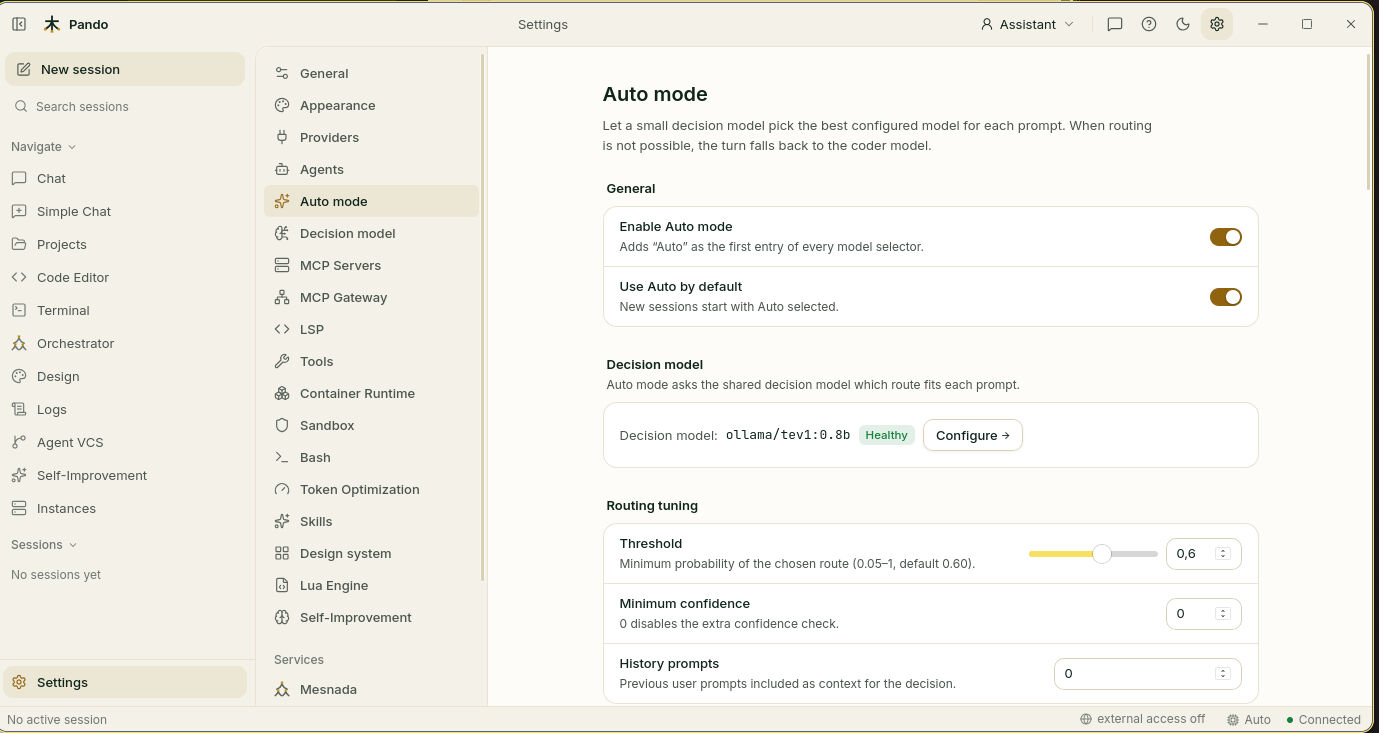
- Enable Auto mode adds Auto as the first entry of every model list.
- Use Auto by default makes new sessions start with Auto already chosen.
The Decision model box should say Healthy. If not, Configure takes you back to the previous step.
Describe your kinds of work
Scroll to Routes. A route is a rule: “this kind of message goes to this model”. Press Add route, or Add starter routes to begin from a ready-made set.
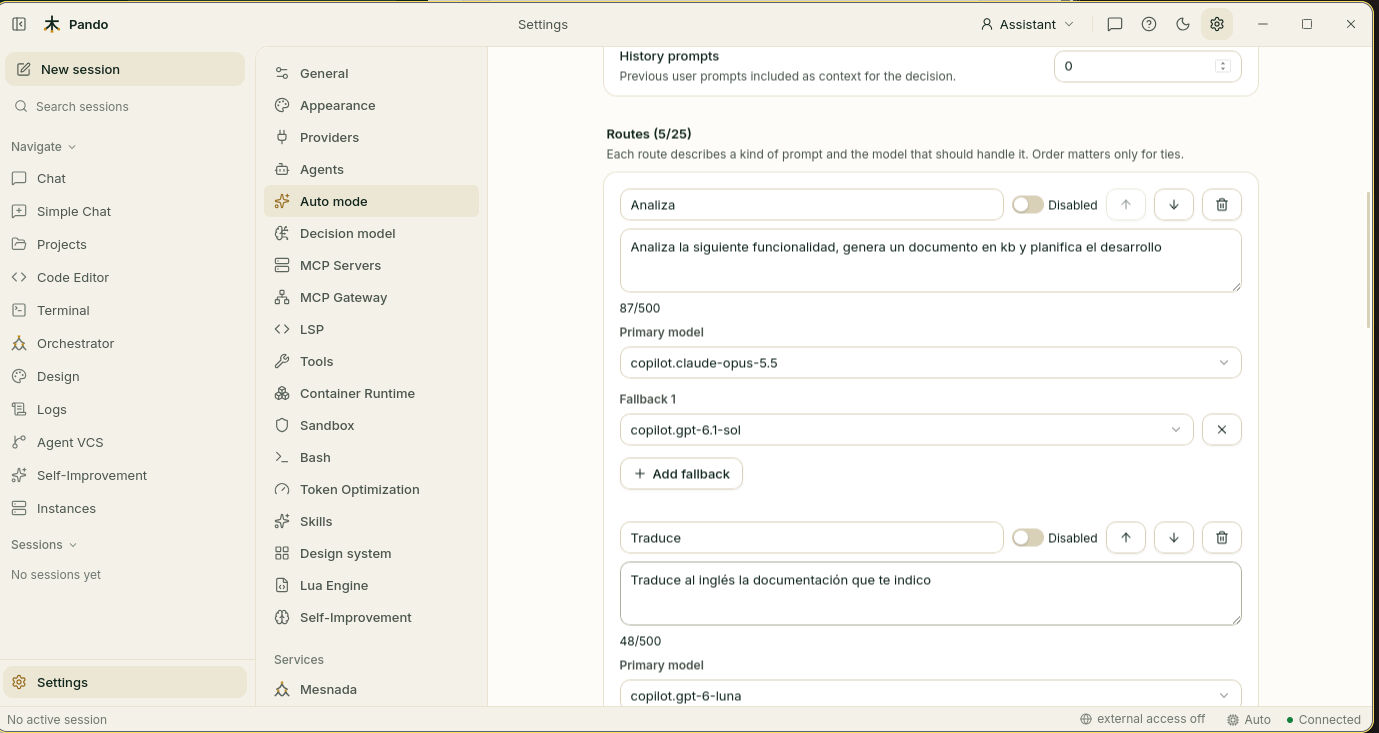
For each route:
- Give it a short name:
quick,implementation,planning. - Describe the work in one sentence, with verbs: “Write, modify or fix code in one or more files, including tests.”
- Choose the Primary model.
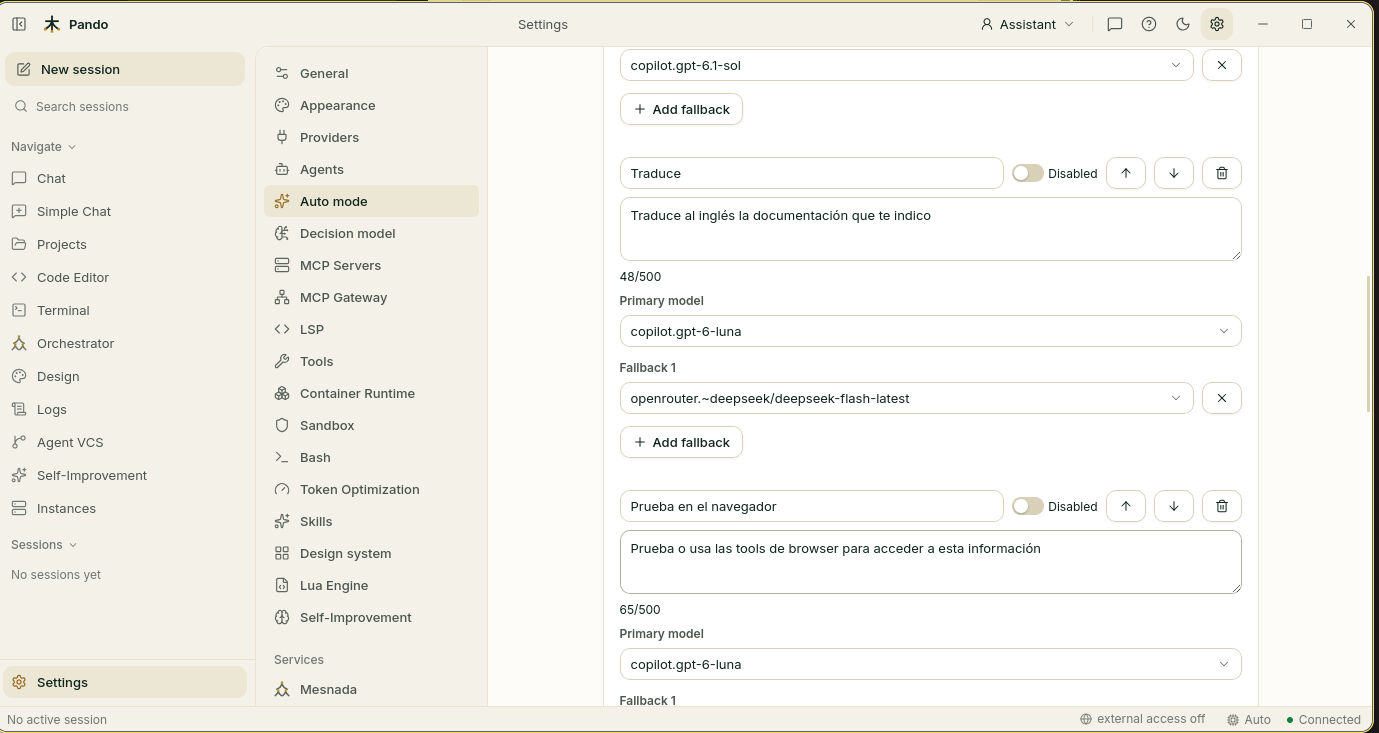
Three to five routes are plenty. The receptionist decides better between a few clearly different doors than between twenty similar ones. The arrows change the order, which only matters in a tie, and the switch next to the name parks a route without deleting it.
Add a plan B
Under each route, Add fallback lets you name up to two spare models. If the first one is busy, down or over its limit, Pando retries the same message on the next and tells you.
Rehearse before the show
At the bottom is the Playground. Type a message as you would in the chat and press Route. Nothing is sent to a chat model, so it costs nothing.
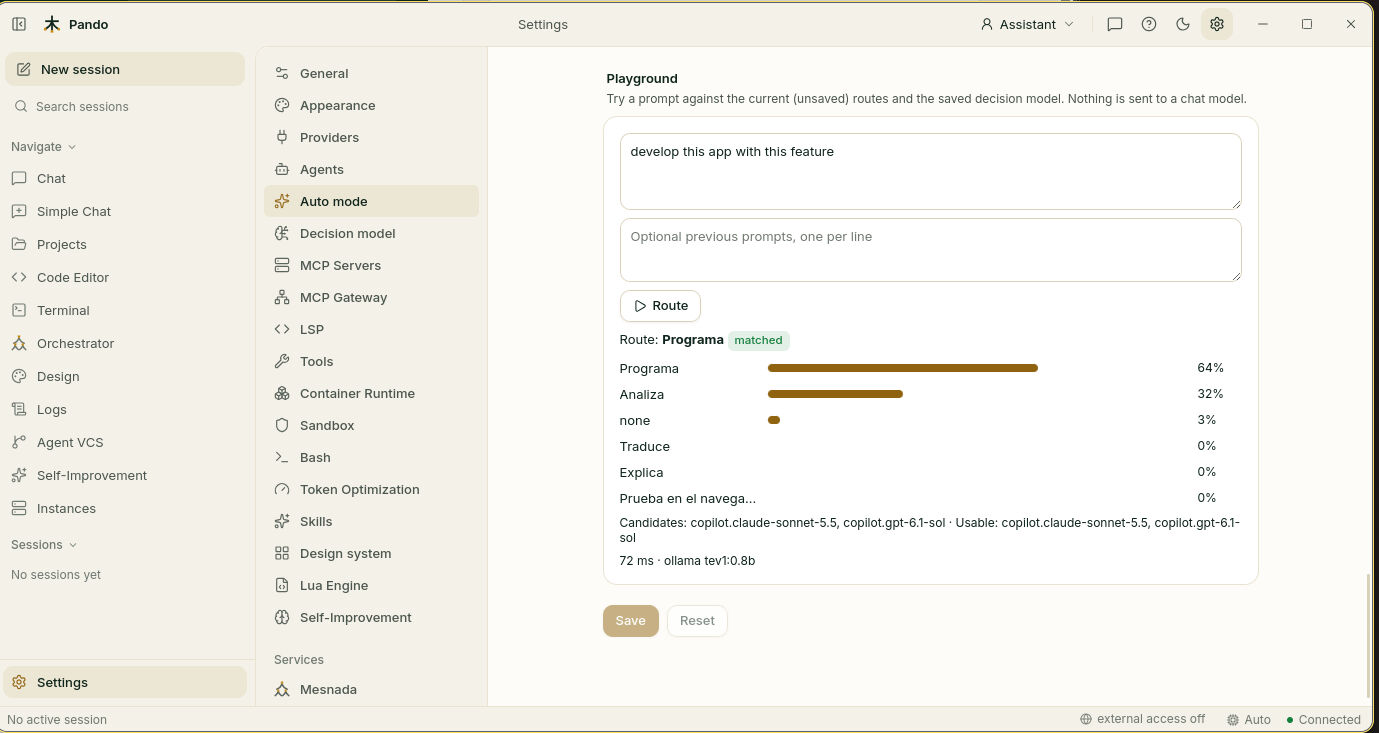
The bars show how sure the receptionist is of each route. If the winner is the one you expected, good. If two routes score close, their descriptions overlap: rewrite them so they are clearly different.
Press Save.
Use Auto in the chat
Open the model list in the chat box and choose Auto. Send a message. While Pando works, the list shows Auto · <model picked> and a line in the chat tells you the choice:
Auto: implementation → anthropic.claude-sonnet-4 (p=0.93, 38 ms via ollama/tev1:0.8b)Choosing a concrete model switches Auto off for that session until you select it again.
Check it works
Send two very different messages in an Auto session: a quick question (“what does this error mean?”) and a real job (“add tests for this function”). The line in the chat should name a different route for each.
If something goes wrong
| What you see | What to do |
|---|---|
| Everything goes to your usual model | Open the playground. If the best route scores low, sharpen the descriptions or lower Threshold under Routing tuning |
| “Upgrade Ollama to >= 0.35” | Update Ollama |
| The decision model list is empty | Run ollama pull tev1:0.8b and press Load models |
| The first message is slow | The receptionist is waking up. The next ones are fast |
| “route has no usable model” | The models of that route are unknown, disabled or too small for the conversation |
| Short replies like “ok, go on” match no route | That is expected; they stay on your usual model |
Prefer the terminal?
In the terminal interface, Auto is the first entry of the model dialog. In editors connected through ACP it is the first model of the list. pando doctor checks that the decision model answers and that every route points to a model that exists.
The routes can also be written by hand in the config file. See the Auto mode reference, and Model Auto Mode for the idea behind it.