Run the agent's commands inside a container
Pick Docker or Podman, set the limits, and let the agent work in a box you can throw away.
A container is a sealed workshop: the agent can make all the mess it wants inside and your computer stays clean. Use it when you want a repeatable environment or stronger isolation than the sandbox. You need Docker or Podman installed. The desktop app is identical to the Web UI shown here.
Choose a runtime
Go to Settings > Container Runtime. The cards at the top show what Pando found on your machine and whether each option can run commands and reach your project files.
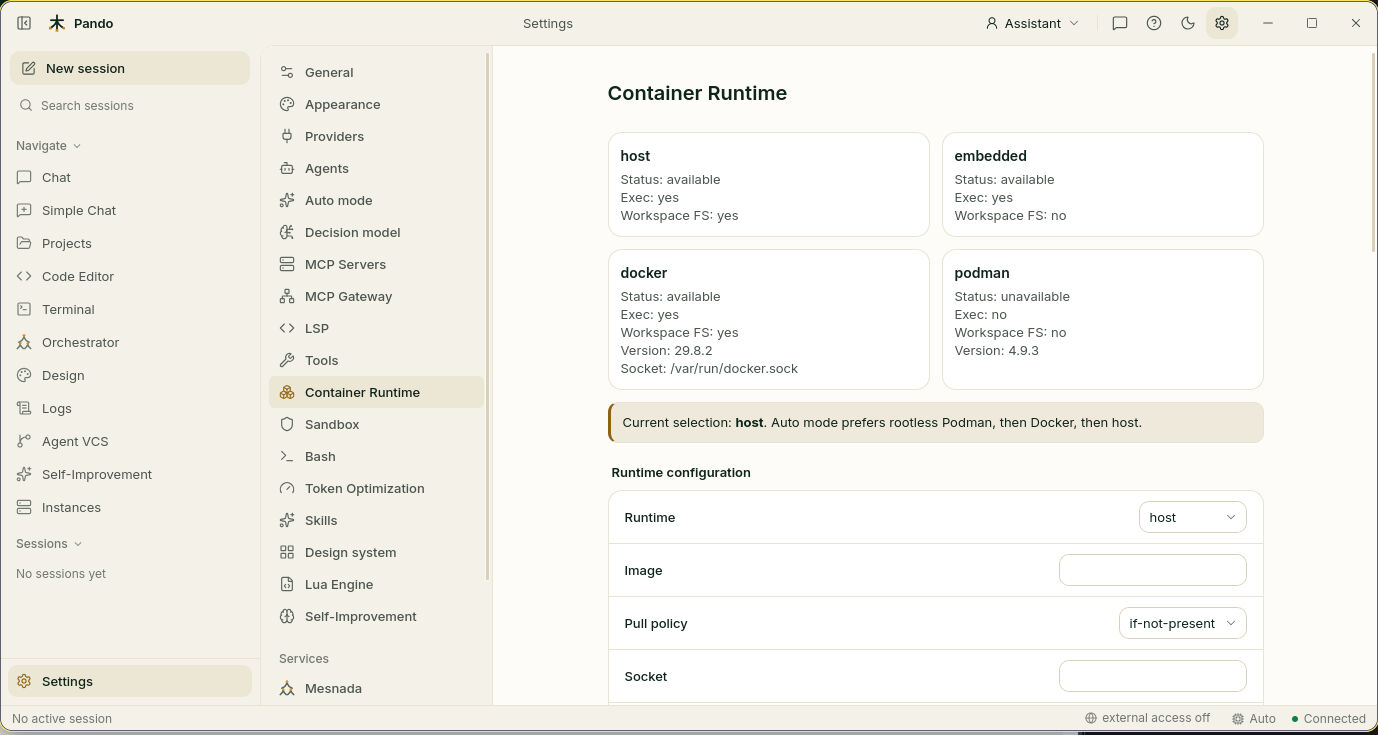
Under Runtime configuration, set Runtime:
| Runtime | Where commands run |
|---|---|
| host (default) | Directly on your computer, protected by the sandbox |
| docker | Inside a Docker container |
| podman | Inside a Podman container |
| embedded | In a small runtime built into Pando, with nothing to install. It cannot see your project files |
| auto | Pando chooses: rootless Podman first, then Docker, then host |
The line under the cards tells you which one is in use right now.
Configure the container
Fill in the rest of Runtime configuration:
- Image: the container image to start from, ideally one that already has your project’s tools.
- Pull policy: when to download the image. if-not-present downloads only the first time.
- Socket: only if your Docker or Podman is not in the usual place.
- Work dir: the folder the agent stands in inside the container.
- Network:
noneby default, so the container has no internet. - User, CPU limit, Memory limit, PIDs limit: who the agent is inside, and how much of your machine it may use.
Lock it down
Scroll to Security and Advanced.
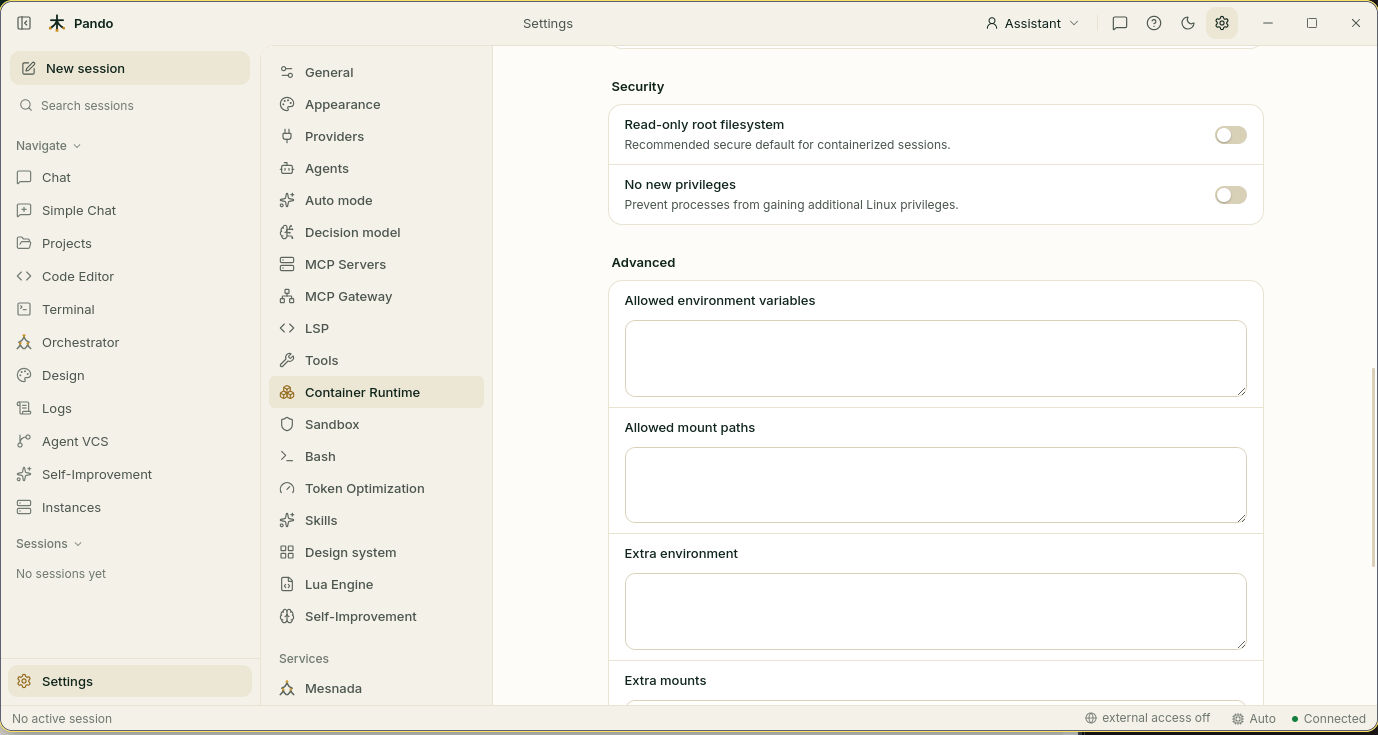
- Read-only root filesystem: the container’s own system cannot be changed. Recommended.
- No new privileges: nothing inside can promote itself to administrator.
- Allowed environment variables and Allowed mount paths: the only variables and folders a session may bring in.
- Extra environment and Extra mounts: variables and folders you always add.
Press Save.
Run a session inside it
Start a new chat and ask for something that runs a command, such as “run the tests”. The agent works as usual; the difference is where the command runs.
When commands run in Docker or Podman, the container is the fence. The host sandbox steps aside.
Check it works
Scroll to the bottom of Settings > Container Runtime and press Refresh Activity.
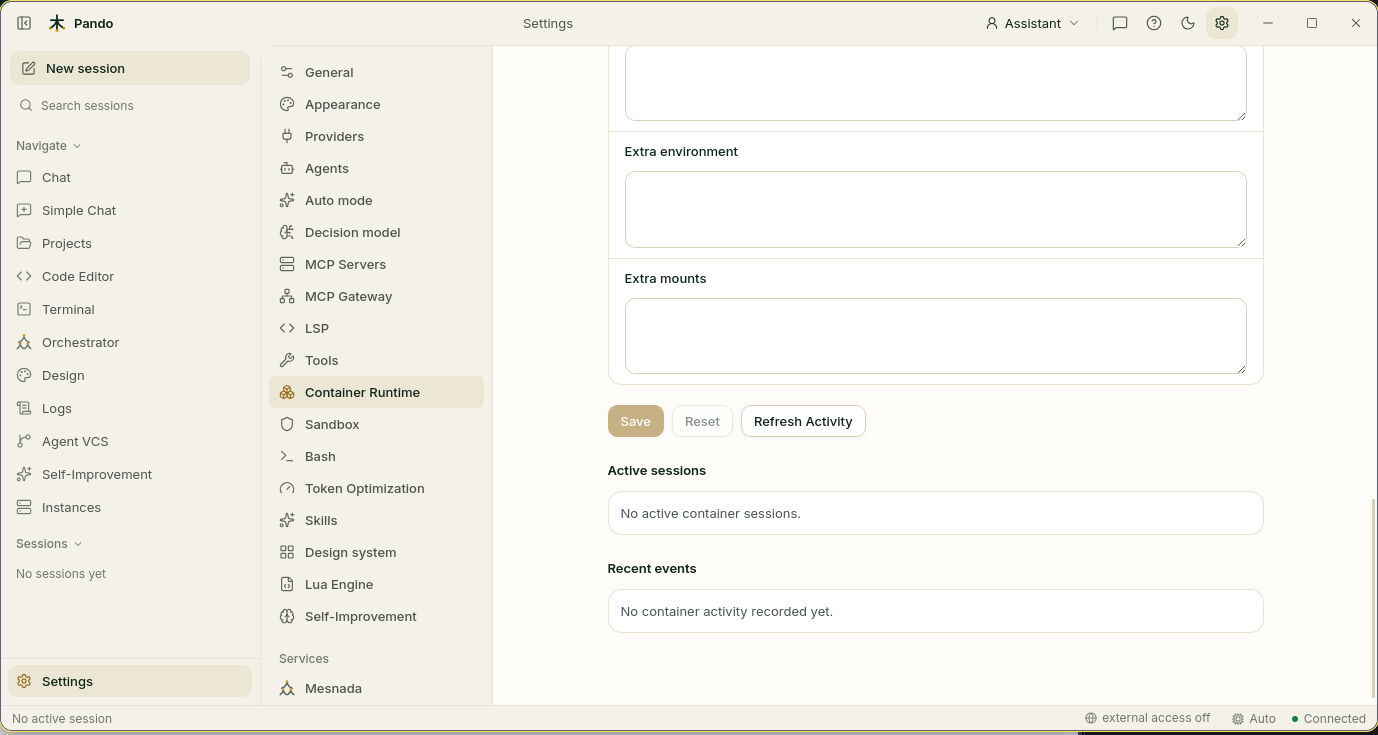
Active sessions lists the running containers and Recent events shows what Pando did with them.
If something goes wrong
| What you see | What to do |
|---|---|
A card says Status: unavailable | That runtime is not installed or not running. Start Docker, or install rootless Podman |
Exec: no | Pando can see the runtime but cannot run commands with it. Check that your user may use it |
| The agent cannot download dependencies | Network is none. Use an image that already contains them, or choose a network |
| The agent cannot find your files | With embedded the project is not visible. Use docker or podman |
| No activity appears | Press Refresh Activity, and check the line that says which runtime is selected |
Prefer the terminal?
Containers are configured in the [Container] section of the config file. Every key is listed in the containers reference.