Give Pando quick reflexes with a decision model
Install the tiny model that makes Pando's small choices, test it and plug it into auto mode, personas and the context filter.
At the end of this guide Pando will have a tiny, fast model for its small choices: which model answers, which persona fits, which notes are worth bringing. You set it up once and three features use it. You need Ollama 0.35 or later on your machine. To understand what it is for, read Decision model.
Screens are from the Web UI; the desktop app is the same.
Open the decision model page
Open Settings > Decision model.
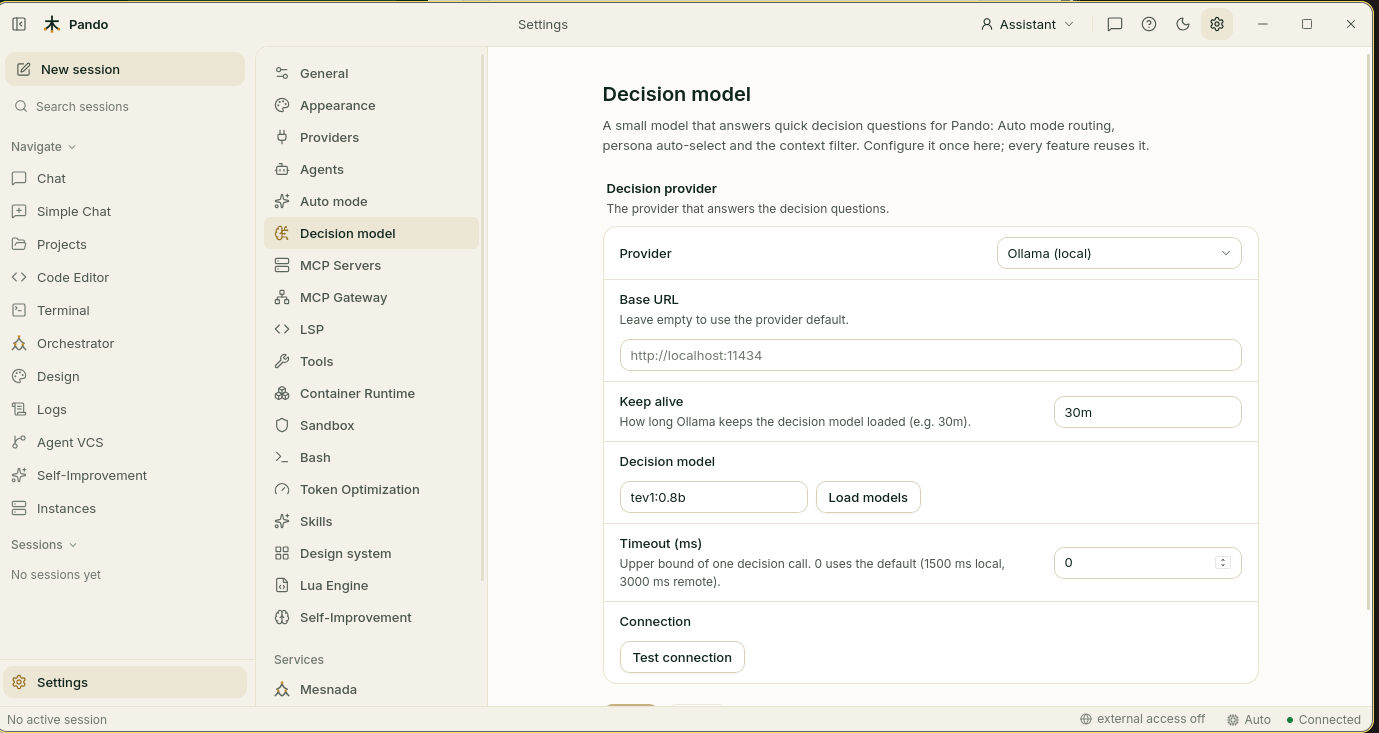
In Provider leave Ollama (local). Leave Base URL empty unless your Ollama lives somewhere unusual.
Get the model
Under Decision model, press Load models.
- If the list has entries, choose tev1:0.8b.
- If it is empty, Pando shows Suggested decision models with a Pull button next to each one. Press Pull on tev1:0.8b and wait for the download (about 800 MB). Then press Load models again and choose it.
An ordinary small chat model will not do: the list shows the models made for this job.
Tune the two timers
- Keep alive is how long the model stays awake between questions. With
30mit answers instantly while you work and goes to sleep when you stop. - Timeout (ms) is how long Pando waits for a decision before going on without it.
0uses a sensible default: a second and a half for a local model.
Test it
Press Test connection. Pando runs a short check-up and shows a line for each thing:
| Line | What it means |
|---|---|
| Reachable | Ollama answers |
| Authorized | The key, if any, is accepted |
| Version ≥ 0.35 | Your Ollama is new enough |
| Model present | The model you chose is downloaded |
| Decision-capable model | It is the right kind of model |
| Latency | How long one decision takes |
Every line should be green. Press Save.
Use it to pick the model
This is the main use: Pando reads each message and sends it to the model you chose for that kind of work. It has its own guide: Let Pando pick the right model for each message.
Use it to pick the persona
A persona is a hat Pando wears: assistant, software engineer, QA. With Auto chosen in the persona list at the top right, Pando picks the hat for each request. Normally a chat model makes that choice; the decision model does it faster and for free.
Open Settings > Agents and unfold Persona Selector.
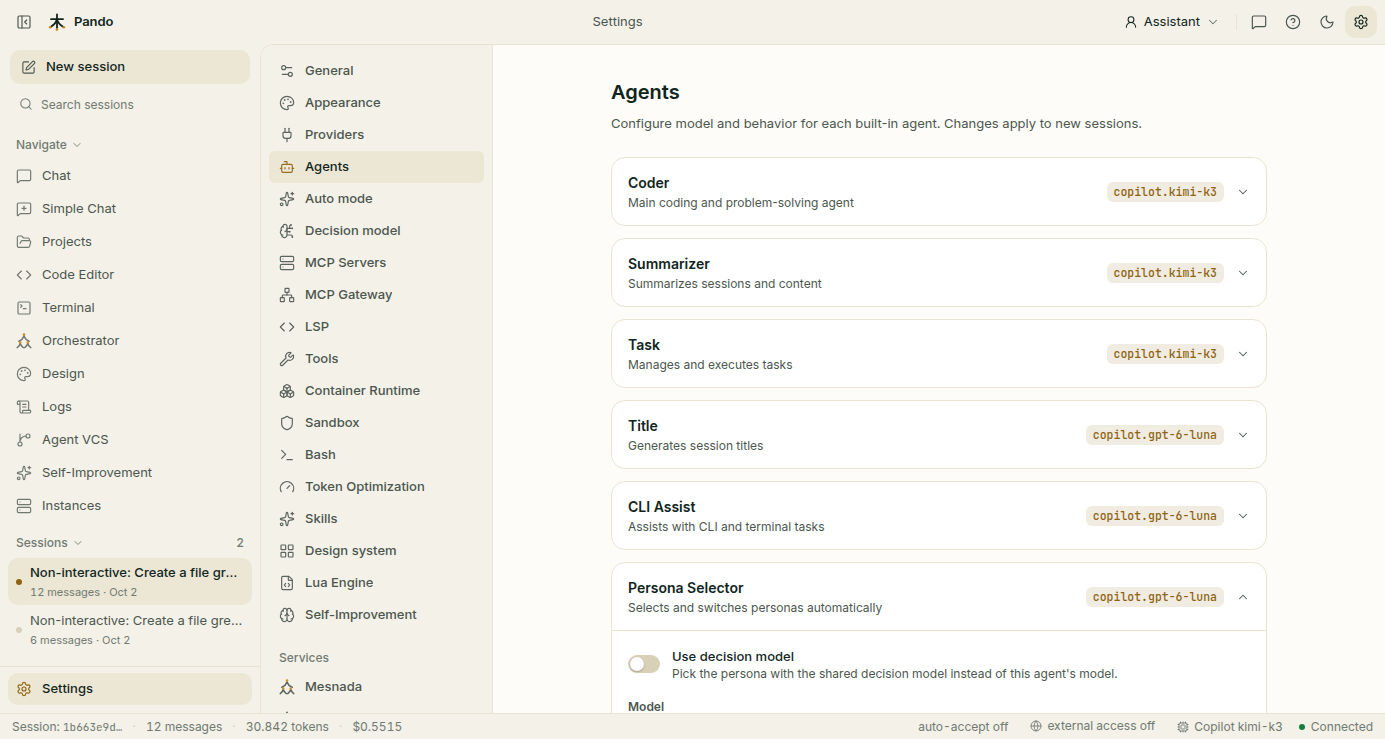
Turn on Use decision model. The Model field below becomes Fallback model: the one that decides when the decision model is not available. Press Save.
Use it to filter what Pando brings along
If you use Remembrances, Pando collects notes and code before answering. The decision model can look at each find and drop the ones that have nothing to do with your question, like someone who checks the bag before leaving and takes out what is not needed.
Open Settings > Remembrances and scroll to Decision model relevance filter.
- Filter retrieved context with the decision model checks the notes, code and past events.
- Filter injected memories with the decision model checks the short facts from memory.
- Relevance threshold is how strict the check is, from 0 to 1. The starting value,
0.6, is a good one. Higher means fewer finds get through. - Allow hosted decision providers is off: only a model on your machine may read your notes. Leave it off unless you know you want otherwise.
Press Save.
Check it works
- In Settings > Decision model, Test connection is all green.
- In Settings > Auto mode, the Decision model box says Healthy.
- In Settings > Agents, Persona Selector shows the decision model in use.
If something goes wrong
| What you see | What to do |
|---|---|
| Reachable is red | Ollama is not running. Start it and test again |
| Version ≥ 0.35 is red | Update Ollama |
| Model present is red | Choose a model in Decision model, or pull it first |
| The model list is empty and there is no Pull button | Run ollama pull tev1:0.8b in a terminal and press Load models |
| The first decision of the day is slow | The model was asleep. Raise Keep alive |
| Decisions often time out | Raise Timeout (ms), for example to 3000 |
| A notice says your prompts leave your machine | You chose a hosted provider. Switch back to Ollama (local) if you did not mean to |
Prefer the terminal?
ollama pull tev1:0.8b
pando doctor # checks that the decision model answers[DecisionModel.Router]
Provider = 'ollama'
Model = 'tev1:0.8b'
KeepAlive = '30m'Hosted providers (TypeSafe Jev or a Custom Jev-compatible gateway) and every key are in the auto mode and decision model reference.