Design Studio
Design Studio turns Pando into a visual designer. You describe what you want, a landing page, a dashboard, a slide deck, and Pando builds a real web page, looks at it, criticises its own work and redoes it until it is good. It is always available; there is nothing to switch on.
What it does for you
- Real files, in your project. Each design is a small folder with a web page inside. You can commit it, edit it with any tool and review it like any other change. Nothing is hidden away.
- A preview that opens by itself. In the browser, in the desktop app, even as a link in your editor.
- You watch it being drawn. Every time Pando changes the design, the preview refreshes.
- Versions. Each accepted round is saved, so you can compare and go back.
- One look for everything. Colours, fonts and spacing live in one shared design system, the brand’s wardrobe, and every design dresses from it.
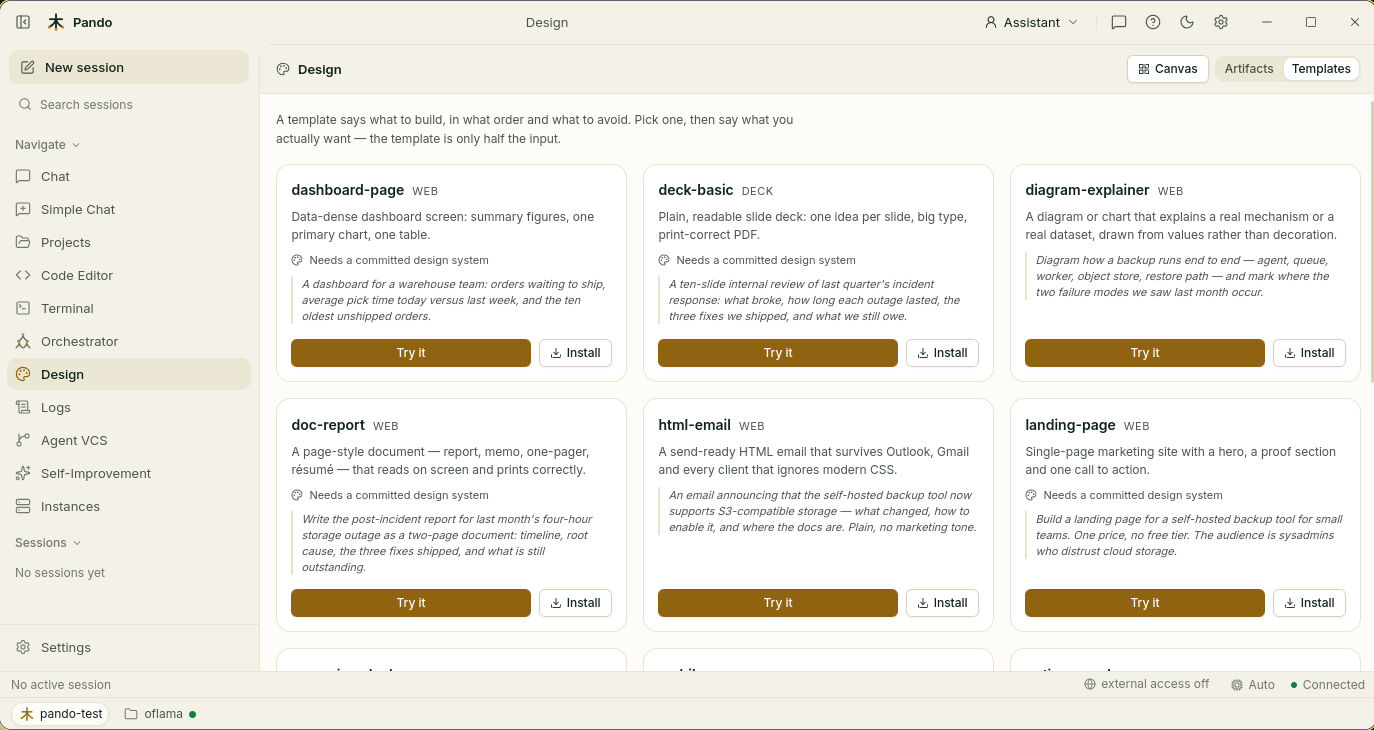
- Starting points. Ready-made recipes for landing pages, prototypes, dashboards and slide decks, plus reading material that teaches the agent good typography, colour and layout, and how not to look machine-made.
- Exports. A single web file, an image or a PDF.
How it feels in practice
You write “design a landing page for my tool, dark, with three feature cards and a pricing table”. A preview appears and fills in. You say “the headline area is too busy” and it changes in front of you.
Between rounds, a built-in critic grades the result: can the text be read, is the spacing consistent, do the sizes follow a scale, does it use the shared colours, does it look generic? Below the pass mark, Pando has another go before bothering you. Designer and critic are the same model wearing two hats, so there is nothing extra to set up.
Do not want to invent a look? Point Pando at one that already exists: your own code, a live web page, a screenshot or a written brand guide, and it extracts the colours and fonts into the design system.
When to use it
- You need a page or a deck that looks finished, fast.
- You want to try an idea visually before building it for real.
- You want several designs that clearly belong to the same product.
There are two kinds of design: web (pages and prototypes) and deck (slides that print and export to PDF properly).
Good to know
- Designs live in your working folder, so they are kept twice: by Pando’s version history and by your own git.
- Previews can be shared on your network with the external access switch, behind your password.
- Previews do not show inside a project workspace tab; open the project in its own window.
- Other agents can be allowed to use Pando’s design tools. That is off by default and does not affect Design Studio itself.
Next steps
- Guide: Design pages and slide decks.
- Reference: design commands and
[Design]options. - Related: WebUI Access, Web UI.