Decision Model
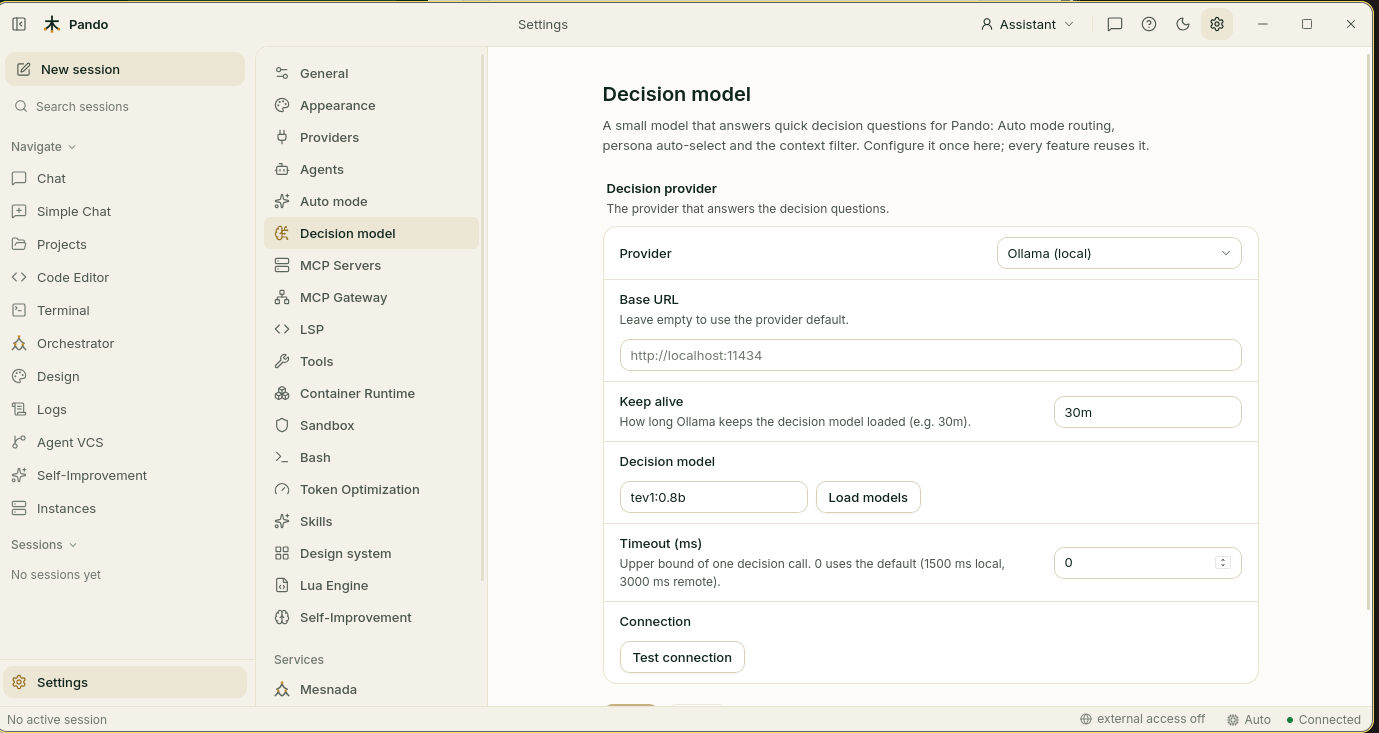
The decision model is Pando’s reflexes. When you catch a falling glass you do not stop to reason about it: a quick part of you decides and the thinking part is not even asked. Pando has the same split. The big model you chat with does the thinking; a tiny, very fast model answers the small questions that come up all the time, such as “which model should take this message?” or “is this note relevant here?”.
You set it up once and several features share it. Without it those features still work, in a simpler way.
What it does for you
- Picks the model for each message. In Auto mode it reads your message and decides which of your models should answer.
- Picks the hat. Pando can switch persona (assistant, software engineer, QA…) on its own. The decision model can make that choice instead of a bigger, slower model.
- Throws away finds that do not fit. When context enrichment brings notes and code for your question, the decision model checks each one and drops what has nothing to do with it.
- Keeps it cheap and fast. These questions are answered in milliseconds, on your own machine, at no cost per message.
How it feels in practice
You do not talk to it and you rarely notice it. What you notice is the result: the right model answers, the persona changes when the subject changes, and Pando brings fewer but better notes to the conversation. In Auto mode a short line in the chat tells you what it decided and how long it took, usually a few dozen milliseconds.
When to use it
Set it up if you want any of the three things above. If you use one model for everything, no personas and no project notes, you can skip it.
Good to know
- By default it runs on your machine with Ollama, so your messages stay local. You can also point it to a hosted service; then the messages it reads leave your machine, and Pando tells you so in the settings.
- It is a specialised model, not a small chat model. Pando suggests the ones that work and can download them for you.
- It never blocks you. If it is slow, missing or unsure, Pando carries on as if it were not there: your usual model answers, the usual persona picker decides, the notes arrive unfiltered.
- The context filter only uses a local decision model unless you allow a hosted one.
Next steps
- Guide: Give Pando quick reflexes with a decision model.
- Reference: Auto mode and decision model.
- Related: Model Auto Mode, Context enrichment.