Database Compact
Pando keeps your sessions, memories and code index in one file on your disk. When you delete things, the file does not shrink by itself: it is a notebook with torn-out pages that still takes the same space on the shelf. Database Compact rebinds the notebook without the gaps.
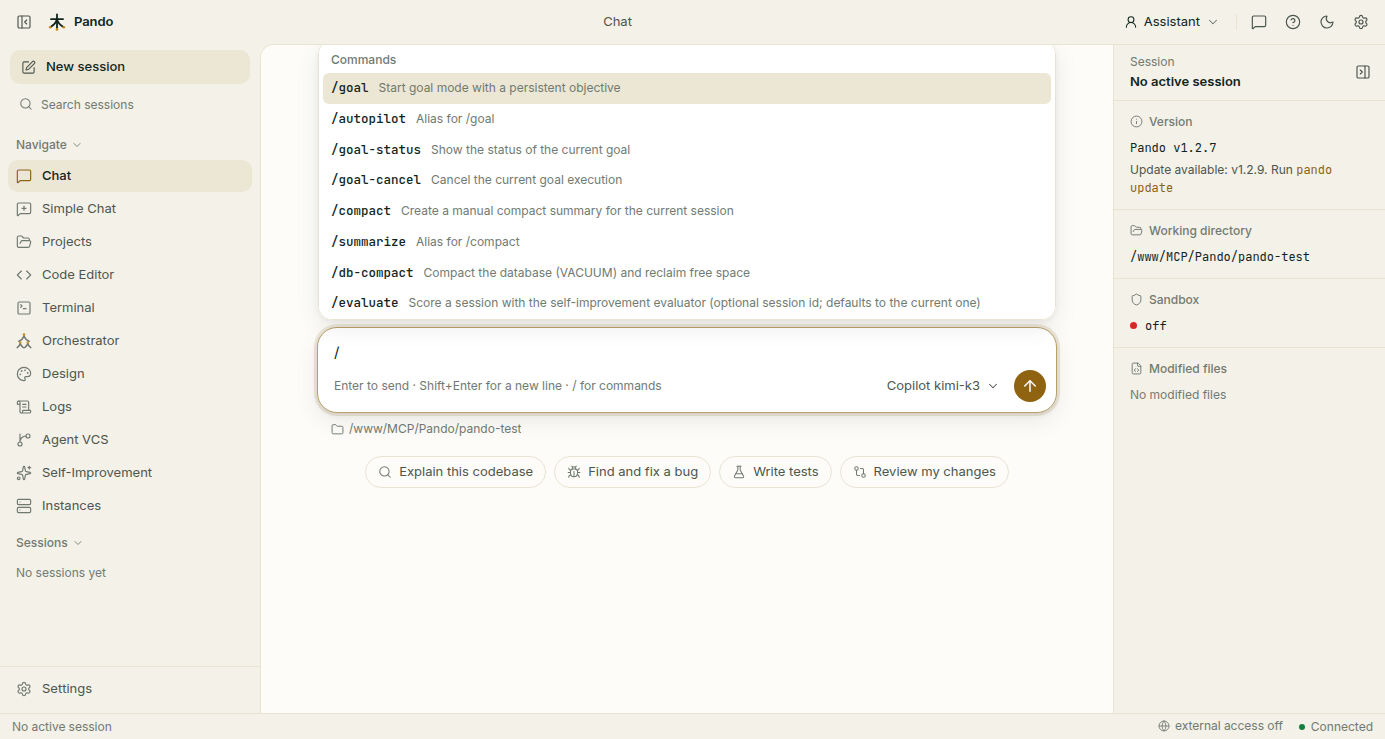
/db-compactWhat it does for you
- Gives disk space back after you delete sessions or memories.
- Tells you the result: size before, size after and how much was freed.
- Keeps future tidying cheap. After the first full pass, Pando can hand back freed space in small, quick steps.
How it feels in practice
Type /db-compact in any chat, in the Web UI, the terminal interface or your editor. Pando works for a moment and reports the numbers. Nothing in your sessions changes; only the wasted space goes.
When to use it
Now and then, and especially after a big clean-up. There is a lighter variant that only returns space already marked as free; it is faster and fine for routine use.
Good to know
- It is safe with several Pando windows open on the same project. The request is passed to the one in charge of writing, so they never step on each other.
- A very large database can take a while.
- There is nothing to configure.
Next steps
- Housekeeping step by step: Update and diagnostics
- Command options: Diagnostics and maintenance reference
- All chat commands: Slash Commands