Agent-VCS (Version Control for Agents)
Agent-VCS is the diary Pando keeps of what it changes in your files. Think of the save points of a video game: before Pando starts, it saves the game; after each turn of work, it saves again. You can open any save point to see what changed, and load it to get your files back as they were.
It is Pando’s own diary. It does not touch your git history.
It comes switched off. You turn it on once, in the settings, and from then on every conversation gets its diary.
What it does for you
- You can get your code back. Each conversation keeps its own chain of save points, starting with your files as they were before Pando touched anything. One click returns to any of them.
- You see exactly what changed. For every save point: which files were added, changed or deleted, and each change line by line, old on the left and new on the right.
- An undo of any size. Put back one file, a few, or everything.
- Undo is safe too. Before going back, Pando saves the present, so you can change your mind.
How it feels in practice
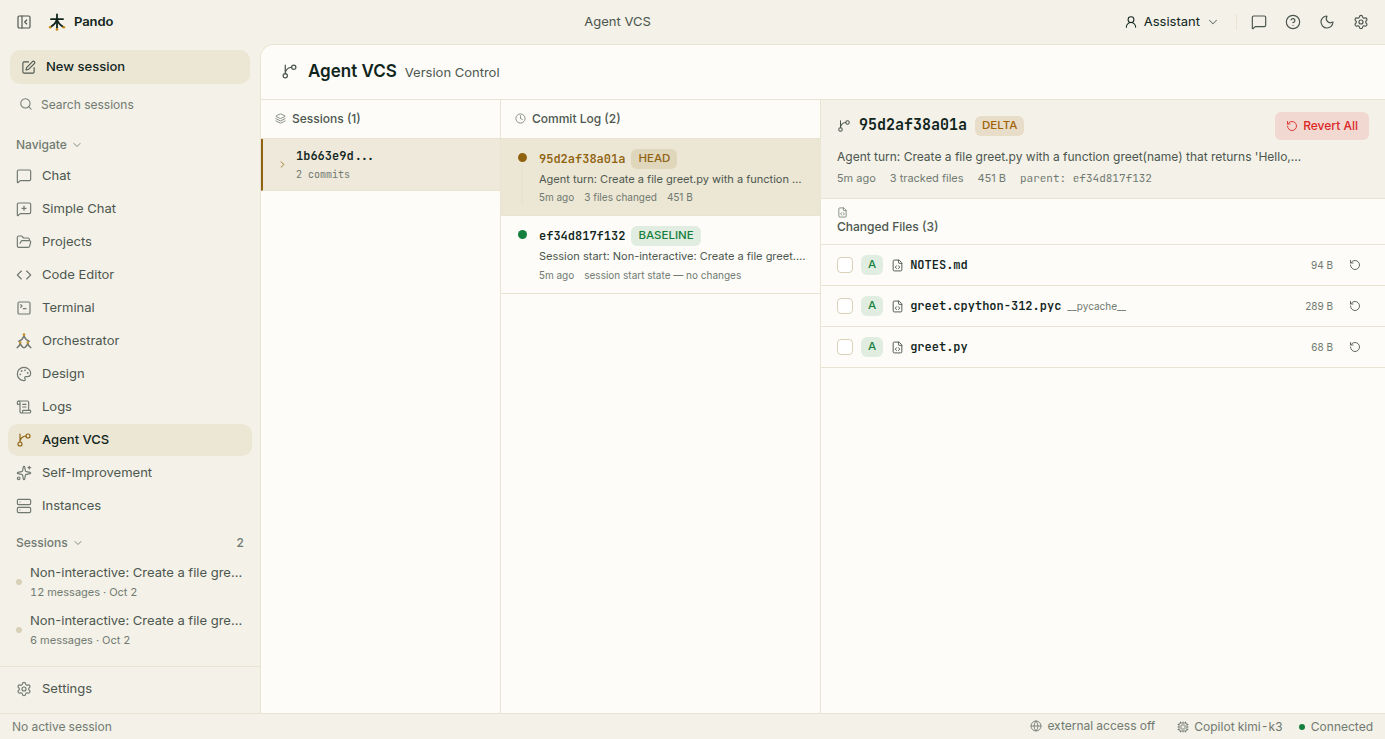
You open the Agent VCS view and pick a conversation. Its save points appear from newest to oldest; the oldest one is marked BASELINE and is your project before the conversation started. You click a save point, see the list of files it changed, and click a file to read the change.
While you chat you do not need to open anything: a list of the files Pando has touched sits next to the conversation, with the lines added and removed.
When to use it
- After a long run on its own, to review what Pando did before you commit it to git.
- When a conversation went wrong and you want your files as they were when it started.
- When you like most of the work and want to throw away the changes to one file.
- When you wonder “what did it change last Tuesday?” and want to read that day’s pages.
Good to know
- Pando saves once when a conversation starts and once after each turn of work, not after every single edit.
- Save points cannot be edited. What is written stays written, which is what makes the diary trustworthy.
- Each save point only stores the files that changed, so the diary stays small even in a big project.
- You decide how many save points to keep, how old they may get and which folders never go in (heavy or private ones).
- It is a safety net, not a replacement for git: the diary lives on your machine and is trimmed over time.
- The design is inspired by the jj (Jujutsu) version control system.
Next steps
- Guide: Review and undo what the agent did.
- Reference: Snapshots and Agent-VCS.