Remembrances Configuration
Every option of memory, the knowledge base, the code index and context enrichment. For what they are, read Persistent memory and Context enrichment. For the step-by-step setup in the Web UI, follow the guide Teach Pando your project.
All keys go in .pando.toml (project) or ~/.pando.toml (global). In the Web UI they are in Settings > Remembrances.
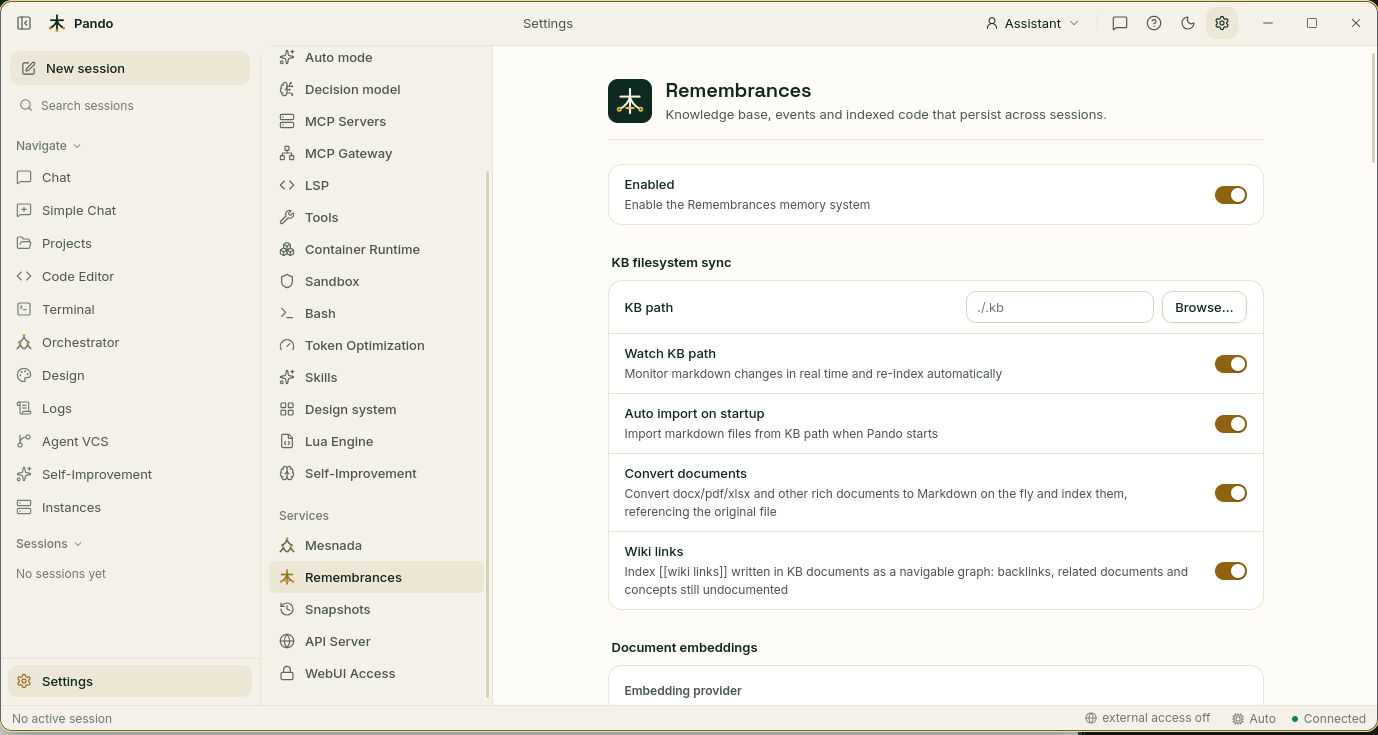
Memory Settings
[Remembrances]
# Enable persistent memory system
MemoryEnabled = true

# Inject memories into context automatically
MemoryContextEnrichmentEnabled = true

# Max memories injected per prompt
MemoryContextMaxItems = 3

# Max characters for memory block (0 = unlimited)
MemoryContextMaxChars = 0

# Default TTL for memories in days (0 = 180 days)
MemoryDefaultTTLDays = 0

# Garbage collection interval
MemoryGCInterval = ''

# Auto-capture conversations as memories
MemoryAutoCapture = false

# Scopes exempt from garbage collection
MemoryPinnedScopes = []| Web UI label | Key |
|---|---|
| Memory enabled | MemoryEnabled |
| Auto-inject in context | MemoryContextEnrichmentEnabled |
| Context max items | MemoryContextMaxItems |
| Context max chars | MemoryContextMaxChars |
| Default TTL (days) | MemoryDefaultTTLDays |
| GC interval | MemoryGCInterval |
Memory tools
The agent stores and reads memories with three tools. They are also exposed to other programs when Pando runs as an MCP server (pando mcp-server).
remember stores or updates a memory:
{
  "content": "The user prefers TypeScript over JavaScript for new projects",
  "key": "user.preferred_lang",
  "scope": "user/",
  "importance": 0.8
}| Parameter | Description |
|---|---|
content | The fact or preference to remember |
key | Optional upsert key (same key replaces previous memory) |
scope | Optional prefix: user/, project/, session/ |
importance | Weight for injection ranking, 0.0–1.0 (default 0.5) |
ttl_days | Override default TTL (default 180 days) |
recall searches stored memories. Results are ranked by relevance, recency and access frequency; each recall increments the hit counter and extends the TTL.
{
  "query": "user language preference",
  "scope": "user/",
  "limit": 5
}
forget removes a memory:
{
  "key": "user.preferred_lang"
}
Injected memories reach the system prompt as a <memories> block, ranked by recency, semantic relevance, access frequency and importance. A background garbage collector removes memories whose TTL expired.
Descriptive keys such as user/preferences/language or project/architecture/decisions keep memories tidy, and scoped memories allow targeted searches.
Knowledge Base Settings
[Remembrances]
# Sync directory for KB documents
KBPath = ''

# Number of parallel sync workers (2-8)
IndexWorkers = 4

# Enable filesystem mirror for KB documents
FilesystemMirror = false
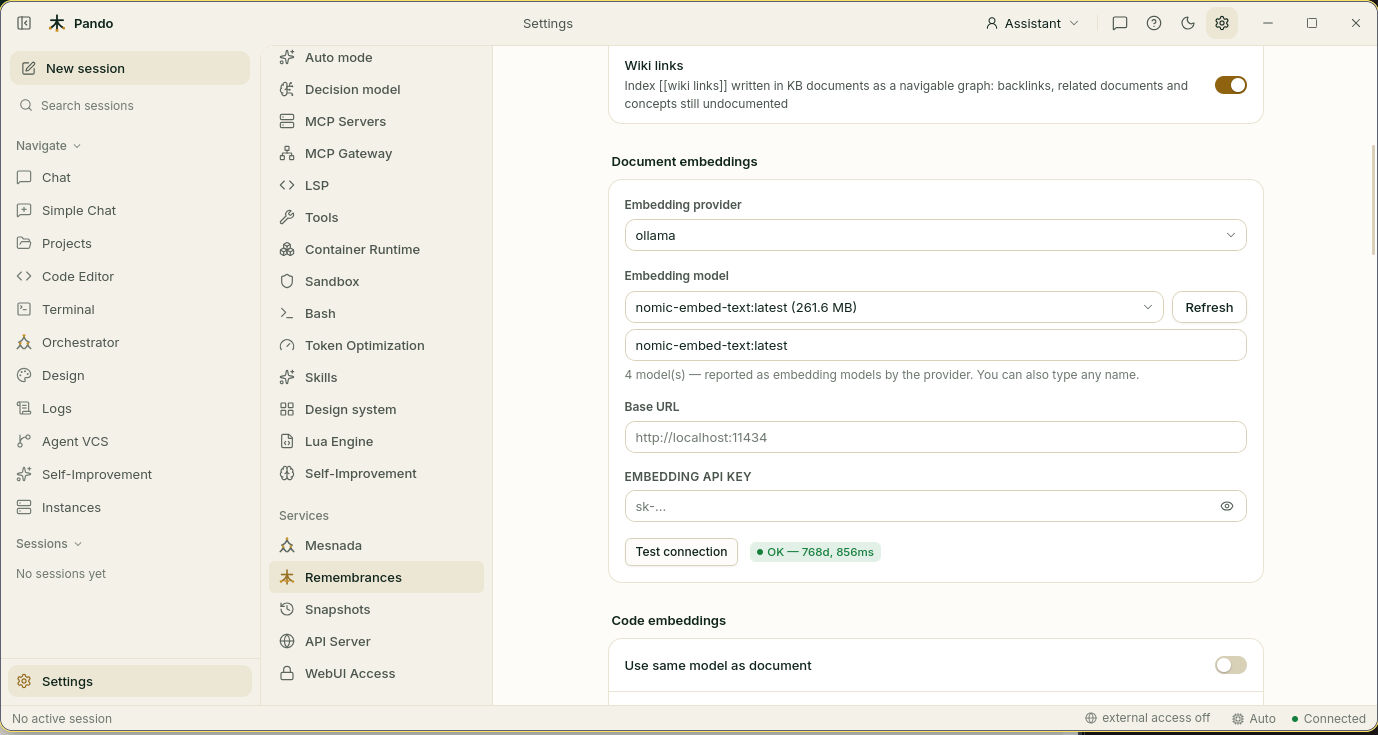
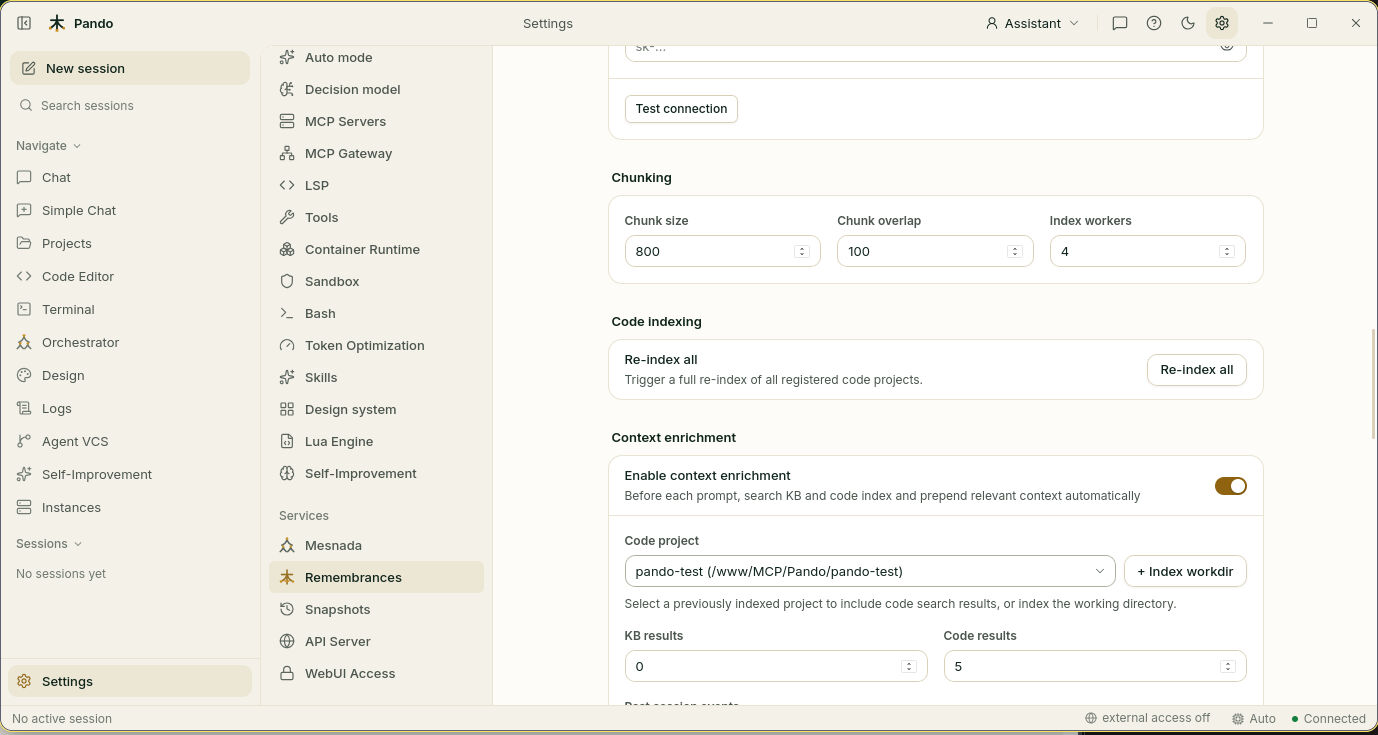
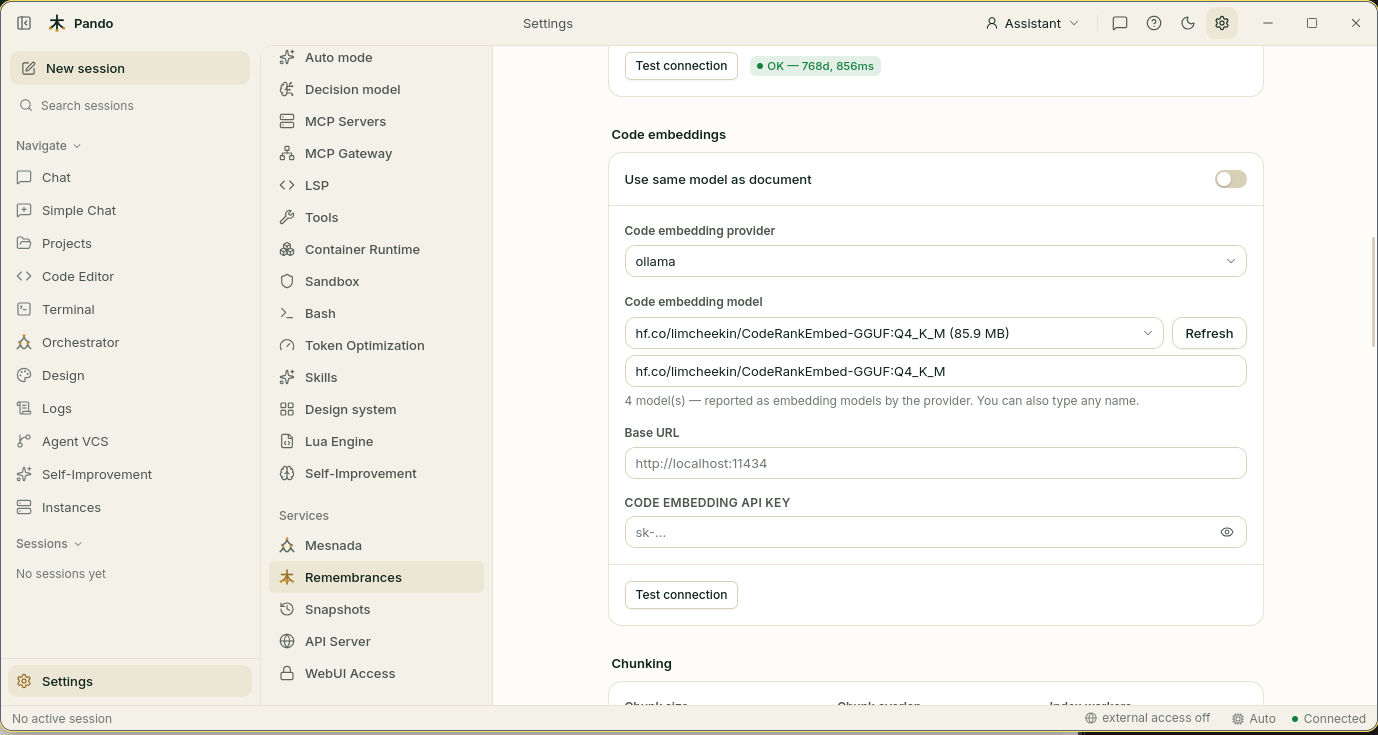
The Web UI also offers Watch KB path, Auto import on startup, Convert documents and Wiki links switches, the document and code embedding provider, model, base URL and API key, and Chunk size, Chunk overlap and Index workers under Chunking.
Context Enrichment Settings
[Remembrances]
# Enable automatic context enrichment
ContextEnrichmentEnabled = false

# KB search results
ContextEnrichmentKBResults = 2
ContextEnrichmentKBMaxChars = 0

# Code search results
ContextEnrichmentCodeResults = 5
ContextEnrichmentCodeProject = 'pando'
ContextEnrichmentCodeMaxChars = 0

# Events search results
ContextEnrichmentEventsResults = 5
ContextEnrichmentEventsMaxChars = 0

# Global settings
ContextEnrichmentMinScore = 0.0
ContextEnrichmentTotalMaxChars = 0

# Planner selection
ContextEnrichmentUseAgentPlanner = false
ContextEnrichmentPlannerFallbackToCoder = false
How a prompt is enriched
- Query planning: a planner analyses the user message.
- Parallel search: the knowledge base, the code index and past events are searched at the same time.
- Score filtering: results below
ContextEnrichmentMinScoreare discarded. - Context injection: what is left is prepended to the user message.
Planners
- Heuristic planner (default): keyword extraction and pattern matching decide which sources to query. Fast and deterministic.
- LLM-based planner (
ContextEnrichmentUseAgentPlanner = true): a cheap model call picks the search strategy. More accurate, with some extra latency and token cost.
Enrichment as an agent loop
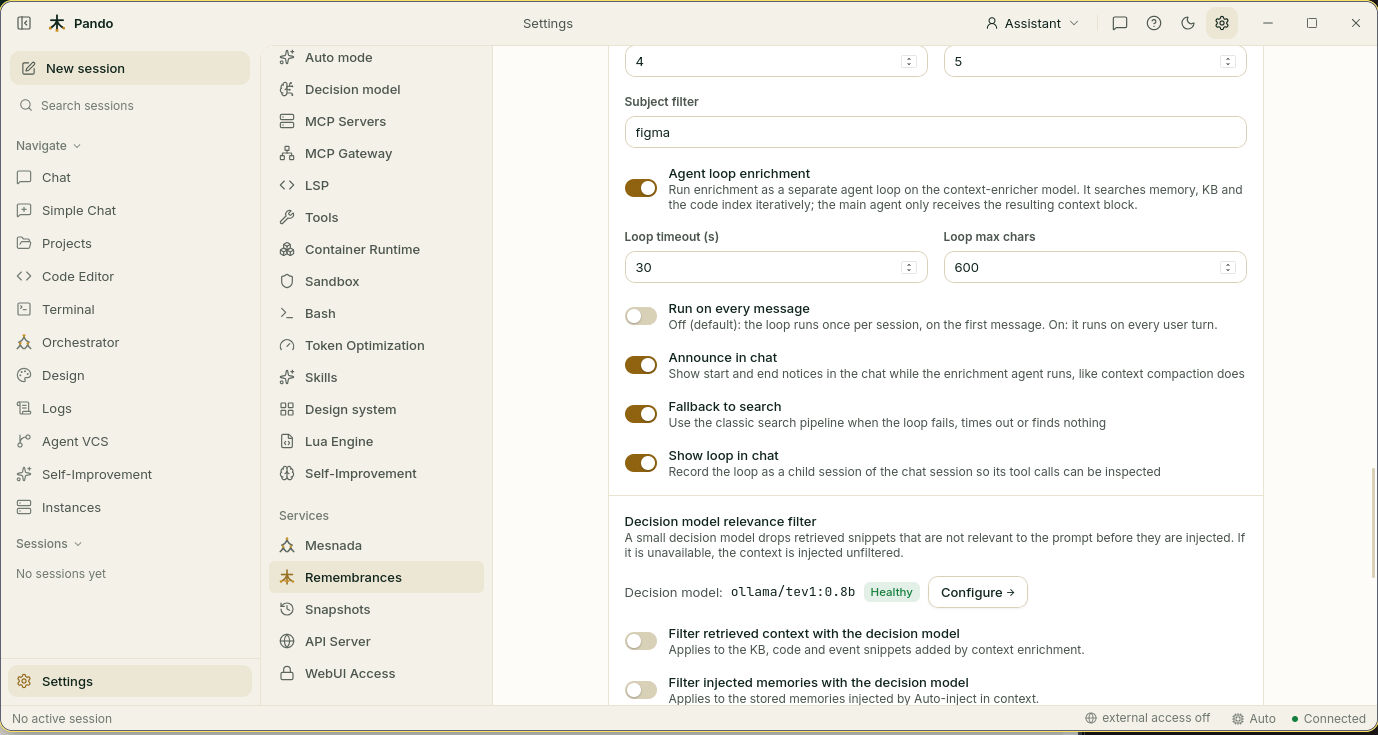
A small dedicated agent queries memory, the knowledge base, past events and the code index in several rounds and returns one finished context block. It runs on its own model:
[Agents.context-enricher]
Model = 'openrouter.some-cheap-model'

[Remembrances]
ContextEnrichmentAgentLoopEnabled        = true
ContextEnrichmentAgentLoopTimeoutSeconds = 60      # bound for one run
ContextEnrichmentAgentLoopMaxChars       = 6000    # cap on the injected context
ContextEnrichmentAgentLoopEveryMessage = false # true = every turn, not only session start- By default it runs only on the first message of a session.
- The chat shows
🧠 Context enrichment agent gathering project context...and then how much context it added. - The run appears as a child session of the chat; its cost is added to the parent session.
- It falls back to the single-shot search if it times out or returns nothing.
- The agent is prepared in the background while Pando boots, so the first prompt does not wait.
Web UI switches: Agent loop enrichment, Loop timeout (s), Loop max chars, Run on every message, Announce in chat, Fallback to search, Show loop in chat. Also available in the TUI (Remembrances → Context Enrichment).
Decision model relevance filter
A decision model can drop retrieved snippets that are not relevant before they are injected. If it is unavailable, the context is injected unfiltered. Web UI fields: Filter retrieved context with the decision model, Filter injected memories with the decision model, Relevance threshold (0–1, default 0.6), Max candidates, Max characters per candidate, Allow hosted decision providers (off: only local providers filter, so snippets never leave your machine).
Context profile
The context-aware trimmer classifies each user message so irrelevant prompt sections can be skipped:
{
  "task_type": "code|debug|refactor|explain|test|search|general",
  "relevant_tool_names": ["tool1", "tool2"],
  "skip_sections": ["capabilities/web_search"],
  "confidence": 0.85
}
Code Index Settings
Which model to use for code, and why it should differ from the document model: Embedding models for code.
[Remembrances]
# Auto-index code on startup
CodeIndexAutoStart = true

# Languages to index (empty = all)
CodeIndexLanguages = []
Tool Discovery Settings
Explained in Tool Discovery.
[ToolDiscovery]
Enabled = true
Mode = 'auto'            # 'auto', 'always', or 'off'
MaxDirectTools = 64
SearchLimit = 8
NonDeferredTools = []
DeferredSources = []
Related reference
- Browser and other built-in tools: Tools reference.
- The
[evaluator]block: Self-improvement reference.