Auto Mode and Decision Model Configuration
Keys of model auto mode and of the shared decision model. For the idea, read Model Auto Mode; for the setup in the Web UI, the guide Let Pando pick the right model.
Decision model
One small model answers quick routing and relevance questions for auto mode, persona auto-select and the context relevance filter. Web UI: Settings > Decision model.
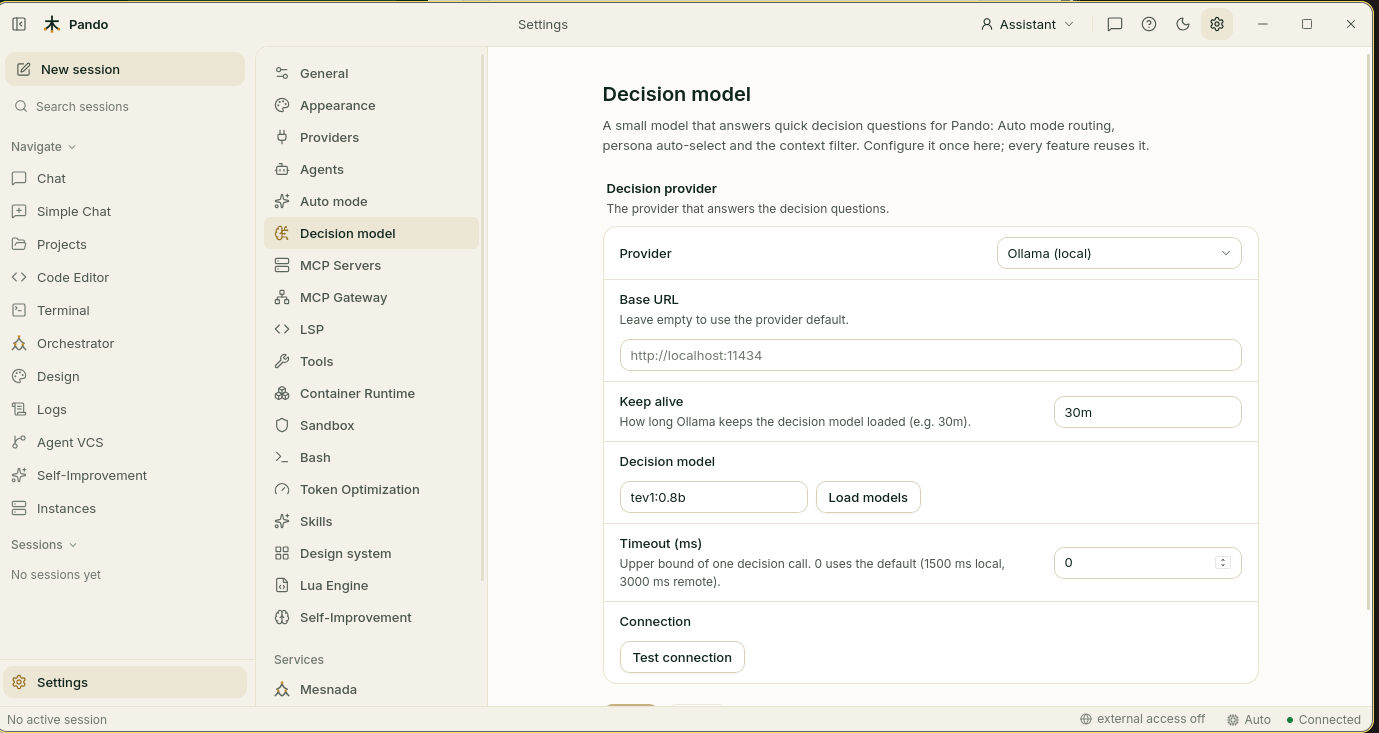
[DecisionModel]
TimeoutMs = 0            # 0 = 1500 ms for Ollama, 3000 ms for remote providers

[DecisionModel.Router]
Provider  = 'ollama'     # 'ollama' (default), 'typesafe' or 'custom'
BaseURL   = ''           # empty = provider default
APIKey    = ''           # stored encrypted; '$ENV_VAR' references are allowed
Model     = 'tev1:0.8b'
KeepAlive = '30m'        # how long Ollama keeps the model loaded
# Headers = { 'X-Team' = 'docs' } # extra headers for gateways| Key | Default | Description |
|---|---|---|
Router.Provider | ollama | ollama (local), typesafe (TypeSafe Jev) or custom (a Jev-compatible gateway) |
Router.BaseURL | provider default | API root. For TypeSafe the default is https://api.typesafe.ai |
Router.APIKey | empty | For TypeSafe, the TYPESAFE_API_KEY environment variable is used when empty |
Router.Model | none | For example tev1:0.8b |
Router.KeepAlive | 30m | Ollama only |
Router.Headers | none | Extra HTTP headers |
TimeoutMs | 0 | Upper bound of one decision call |
Ollama must be 0.35 or later; Pando does not install it. Install the model with ollama pull tev1:0.8b, or with the Pull button the settings page shows next to the suggested models (tev1:0.8b, tev1, nimble) that are not installed yet.
Test connection reports: Reachable, Authorized, Version ≥ 0.35, Model present, Decision-capable model, Latency.
Who uses the decision model:
| Feature | Where it is switched on |
|---|---|
| Auto mode routing | Settings > Auto mode (below) |
| Persona auto-select | Settings > Agents > Persona Selector > Use decision model (useDecisionModel on the persona-selector agent). The agent’s own model becomes the fallback |
| Context relevance filter | Settings > Remembrances > Decision model relevance filter, see the Remembrances reference |
The idea is explained in Decision model; the setup, in the guide Give Pando quick reflexes.
Auto mode
Web UI: Settings > Auto mode.
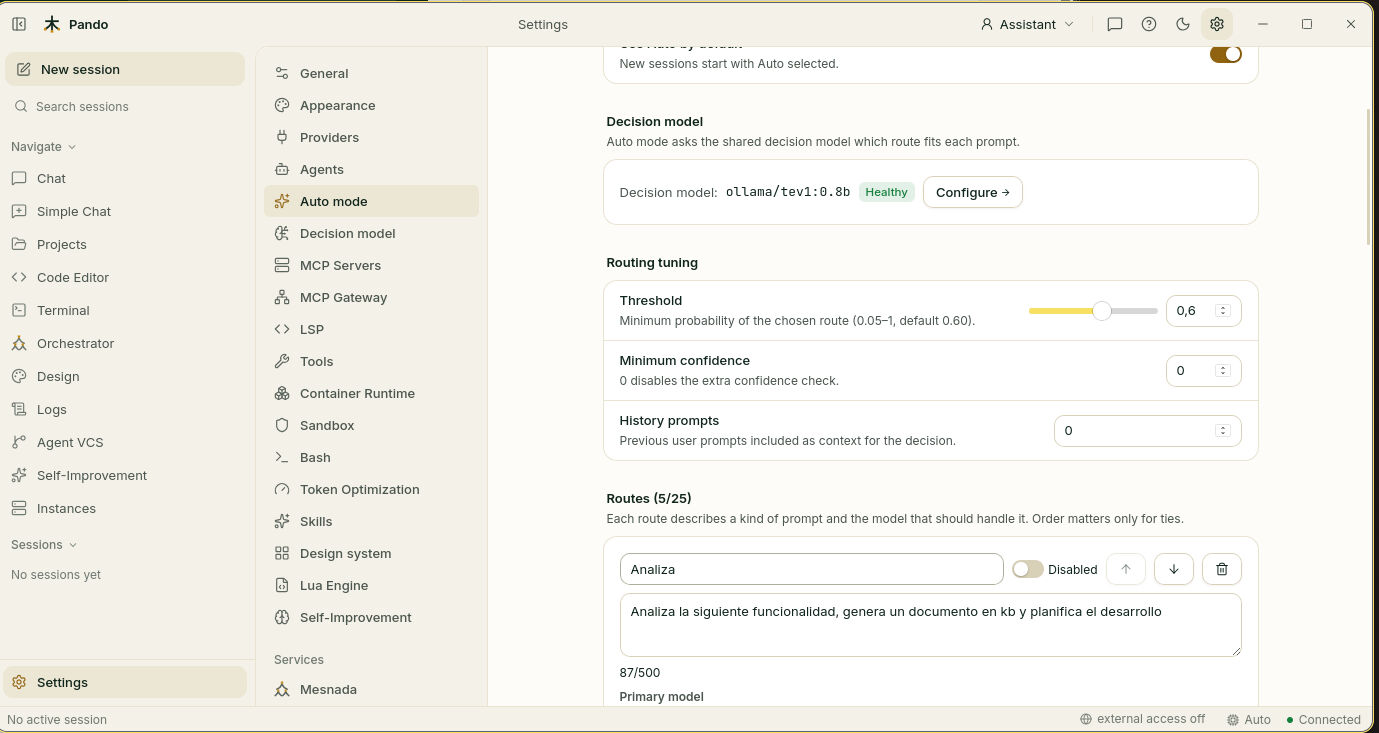
[ModelAutoMode]
Enabled        = true
DefaultAuto    = true    # new sessions start with Auto selected
Threshold      = 0.60    # minimum probability of the chosen route (0.05–1)
MinConfidence  = 0       # extra confidence check; 0 disables it
HistoryPrompts = 0       # previous user prompts added as context for the decision

[[ModelAutoMode.Routes]]
ID          = 'quick'
Description = 'Short question or explanation about code, a concept, an error message or a command; no code changes needed.'
Model       = 'ollama.qwen2.5-coder:7b'

[[ModelAutoMode.Routes]]
ID          = 'implementation'
Description = 'Write, modify, refactor or fix code across one or more files, including adding tests.'
Model       = 'anthropic.claude-sonnet-4'
Fallbacks   = ['copilot.gpt-5.4']

[[ModelAutoMode.Routes]]
ID          = 'planning'
Description = 'Design, architecture, trade-off analysis or planning a feature before implementing it.'
Model = 'anthropic.claude-opus-4'| Key | Default | Web UI label | Description |
|---|---|---|---|
Enabled | false | Enable Auto mode | Adds “Auto” as the first entry of every model selector |
DefaultAuto | true | Use Auto by default | New sessions start with Auto selected |
Threshold | 0.60 | Threshold | Below it, the turn runs on the coder model |
MinConfidence | 0 | Minimum confidence | 0 disables the extra check |
HistoryPrompts | 0 | History prompts | Up to 20 |
Routes
| Key | Description |
|---|---|
ID | Stable short name. none is reserved for “no route matches” |
Description | The kind of prompt, in natural language. Up to 500 characters |
Model | Primary model |
Fallbacks | Up to 2 models tried in order when the primary fails on a rate limit, a server error or a network problem |
Disabled | true removes the route from the decision without deleting it |
Up to 25 routes. Order only matters for ties.
Behaviour
- The choice is made once per prompt; the model does not change while the agent chains tool calls.
- If no route reaches the threshold, or the decision model does not answer, the turn runs on the coder model. Auto mode never blocks a prompt.
- Picking a concrete model turns Auto off for that session until it is selected again.
- Delegated sub-agents keep their own configured model.
- Switching models between prompts reduces provider prompt-cache reuse for that conversation.
- The chat reports each choice:
Auto: implementation → anthropic.claude-sonnet-4 (p=0.93, 38 ms via ollama/tev1:0.8b)pando doctorchecks that the decision model answers and that every route points to a model that exists.
Where Auto appears
| Surface | Where |
|---|---|
| Web UI and desktop | First entry of the model switcher; shows Auto · <model picked> during a turn |
| TUI | First entry of the model dialog |
| Editors over ACP (Zed, Xcode and others) | First model in the list |